Light Tracer Render 3.3
It’s been a long time since the last release, but trust us—every moment was worth it. We are incredibly excited to introduce version 3.3.0, a breakthrough milestone in the evolution of Light Tracer Render.
First and foremost, it delivers groundbreaking capabilities for jewelry visualization—you can now generate photorealistic animations in minutes instead of hours while maintaining full physical accuracy of rendering. Alongside this, we have revamped and greatly simplified support for different environments (lighting setups) for various scene objects (such as a ring and gemstones), added dedicated jewelry materials and HDRIs for every occasion, and enhanced shadow and reflection catchers —tools so essential in jewelry rendering.
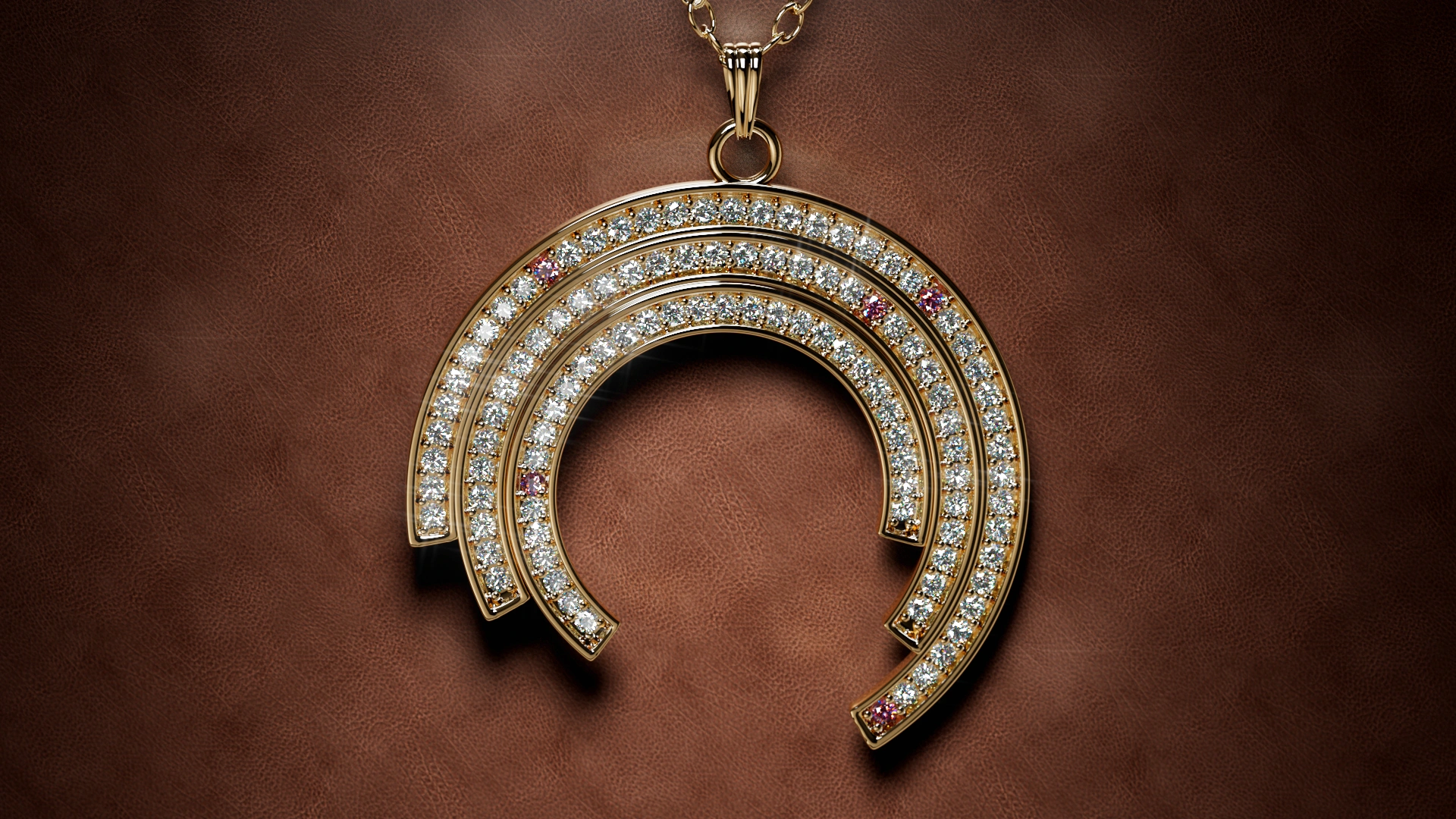
A wealth of improvements has also been introduced for product visualization in general. Scene Explorer now offers two object management modes—a full hierarchical tree and a simplified two-level view (as before). We have added a new cloud-based HDRI library, providing you with over 900 high-quality HDRI maps. The library of HDR light sources and materials has been updated—with many new additions! Physical simulations have become more robust, camera and object animation capabilities have been improved, and working with labels and object texturing has been streamlined. The Undo/Redo system now covers nearly all actions! Finally, the new version features a refined UI/UX , polished through real-world workflow scenarios.
In short, a tremendous amount of work has been done! You can immediately upgrade to it at no additional cost using your current subscription or perpetual license (LT 3.0+). Below, we invite you to explore all the changes in detail.
Real-time Jewelry mode
Meet the Real-time Jewelry mode—a game-changer for speed. By applying sampling and light integration strategies tailored to jewelry use cases, it renders stunning scenes in a fraction of the time.
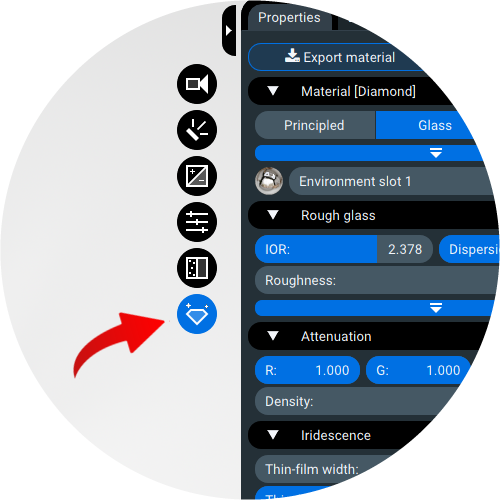
Of course, this mode works best under certain constraints: only smooth (minimal roughness) materials for settings and gemstones should be used in the scene. The scene may be enhanced with shadow and reflection catchers, which have also been carefully optimized for this workflow. Most importantly—avoid using diffuse and rough materials! Yes, they will still function, but renders will become noisy and require much more time to converge—causing you to lose the advantages of this mode. In short, Jewelry mode allows you to effortlessly render scenes like these:
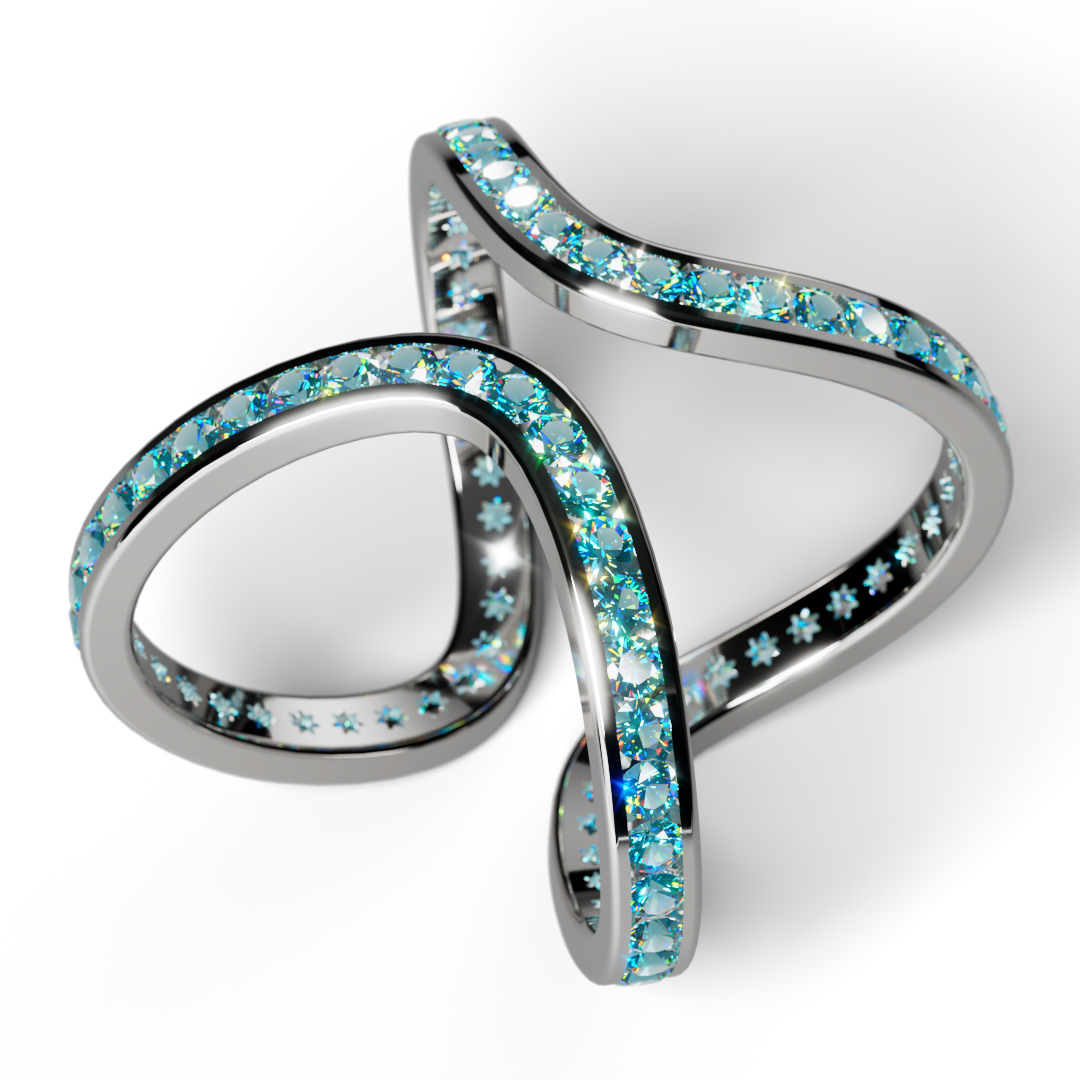
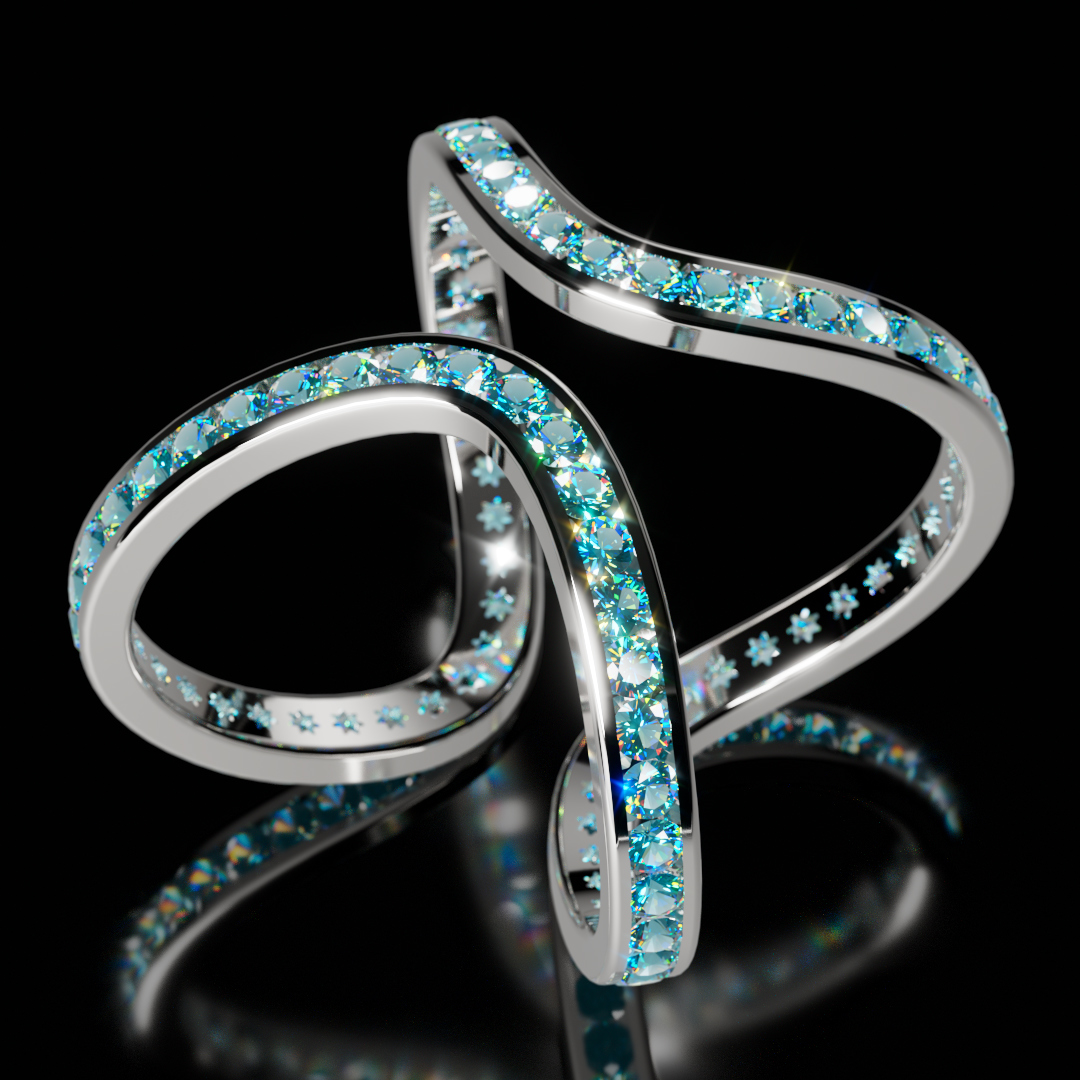
Eternity ring by JOSE
You might wonder how the shadow catcher can work so quickly in this mode. It is made possible through automatic on-demand baking, which occurs immediately when the mode is turned on. While setting up your lighting (for example, when moving light sources), the catcher will be automatically re-baked in response to scene changes. Once you achieve the desired shadow look and no longer wish to alter it, simply activate the Lock button. After this, the shadow will not be recalculated even if the geometry or lighting changes—and you won't waste any GPU resources on it:
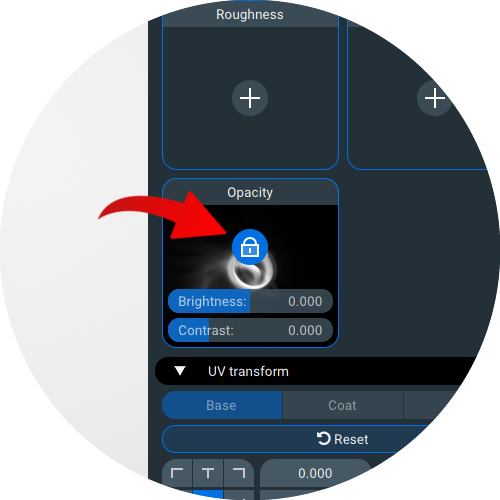
Note: The ability to bake catchers has also been added to the normal rendering mode. This is useful if you want to create a catcher for a specific scene lighting setup and then make it independent of further changes. The new version offers other mechanisms for similar scenarios (such as support for multiple environments), but this feature can be particularly handy as it allows you to adjust the catcher’s brightness and contrast, making it more vivid and controllable.
In summary, while the real-time mode may not cover every scenario, it excels at the most common jewelry visualization tasks, as demonstrated in the video below:
Imagine—this 1080p video was rendered in just 1 minute on an RTX 5080! And even on a mid-range GPU, it will still render within a few minutes.
We believe the new mode will significantly reduce the cost of producing animations, as well as speed up the scene setup process—you see the final result almost immediately! This should also simplify the preparation of renders for marketplaces, jewelry stores, and studios. In the next update, we plan to introduce an enhanced publishing feature—so you can send a link of a configured scene to a client or colleague, and they can interactively render it right in the web browser.
Multiple environments support
The next major innovation is the introduction of multi-environment support (up to 4 distinct lighting setups), which can be assigned to different objects in the scene. For example, you can now apply one environment to the metal setting and another to the gemstones.
Each environment fully describes scene lighting, including the HDRI map, any added light sources, and all associated animations (of the map and lights). You can easily create new environments or switch between them using the Environment tab:
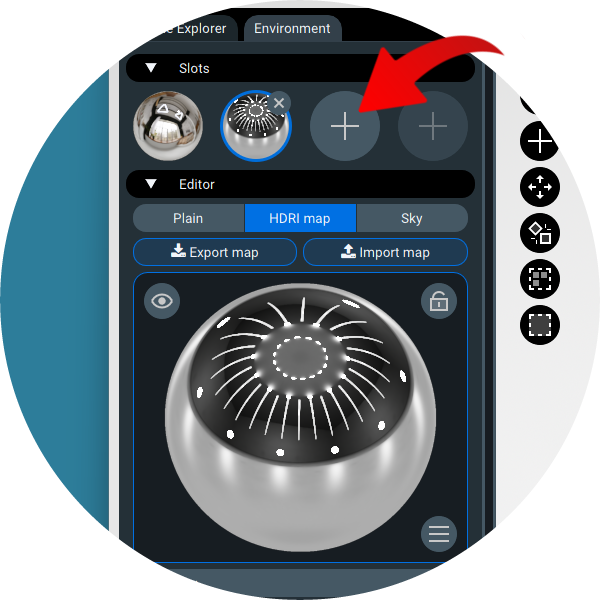
The workflow is very straightforward: configure the selected Environment as you normally would, then assign it to specific materials . You can do this in the Properties tab, which lists all available environments added to the scene—simply select the one you want:
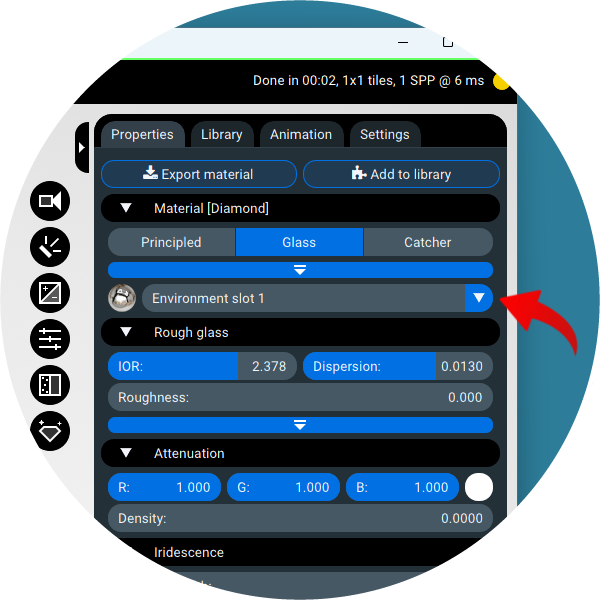
While similar functionality was previously possible using Render layers, it was complicated and required numerous steps from the user. In the new version, it can be done in a much simpler way. Another major advantage of the new approach is that the scene with multiple environments is rendered in a single pass , rather than in multip le passes as before (one render per layer). That ensures immediate feedback and high productivity of the design process.
Note that Render layers are still available, but they no longer store environment settings as they did. Now, layers function as full analogs to layers in photo editing software: you can hide or show different scene objects in various layers, then blend them together into the final image. No more different lighting setups per layer.
Enhanced Scene Explorer
Our users have consistently requested a true, hierarchical scene tree. With this release, we're delivering exactly that—offering both a complete hierarchy and the familiar simplified two-level view, where intermediate nodes remain hidden:
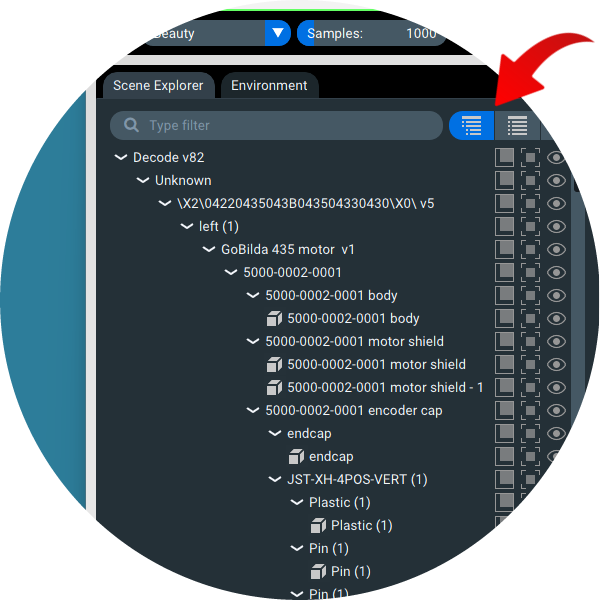
While the two-level view is often convenient and minimalist, it can sometimes be limiting—especially when performing hierarchical transformations and animations, such as when you need to animate a specific component (sub-tree) of a scene. With the new full hierarchy, you can select any intermediate group to add keyframes or run physical simulations directly on it. Best of all, you can switch seamlessly between views at any time without losing your work.
Regardless of which scene view mode you choose, a full drag & drop mechanism is available for editing. You can drag objects and groups between different hierarchy levels, create new object groups, or break apart existing ones. This allows you to build an optimal structure tailored for tasks like material assignment and animation creation.
Also, Scene Explorer offers an additional material-based view of your scene. In this mode, objects are grouped by their materials, allowing you to instantly select all objects that share a common material—such as all the diamonds in a ring. This gives you multiple, flexible ways to select and manage objects, depending on the task at hand.
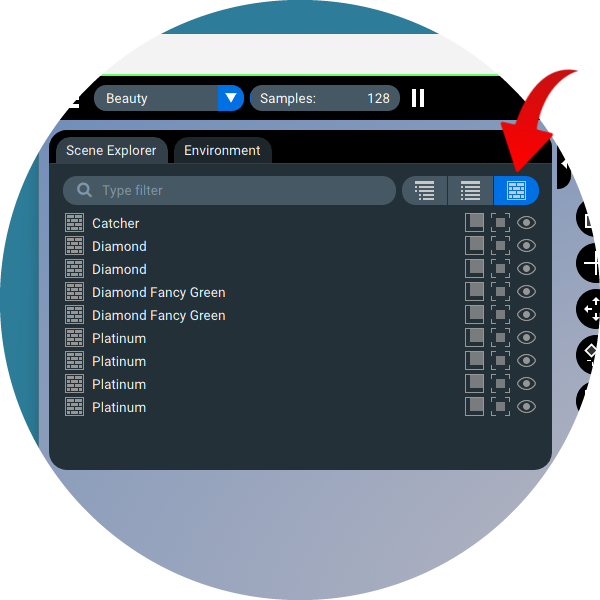
And don't forget the convenient search, available at the top of the Scene Explorer tab, which makes navigating even the most complex scenes effortless.
Enhanced gradient backplate
The new version introduces a brand-new Gradient Backplate tool. Moving beyond a few fixed presets, you now have full control: simply adjust the gradient by moving control points directly in the image plane.
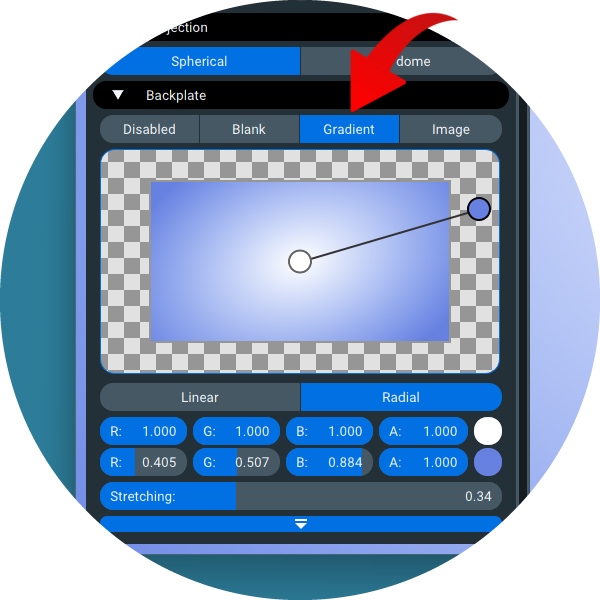
As before, both Linear and Radial gradients are available. For the Radial gradient, you can also adjust its Stretching, allowing you to smoothly transition from perfect circular to elliptical gradients.
Improved shadow/reflection catcher
As mentioned earlier, the development of the Jewelry mode involved a major upgrade to the shadow / reflection catchers. However, these improvements are highly beneficial for all product visualization work. You can now flexibly combine shadows and reflections to create catchers with precisely the properties you need. In particular, you can adjust reflection intensity, making reflections in the catcher either vividly strong or subtly faint.
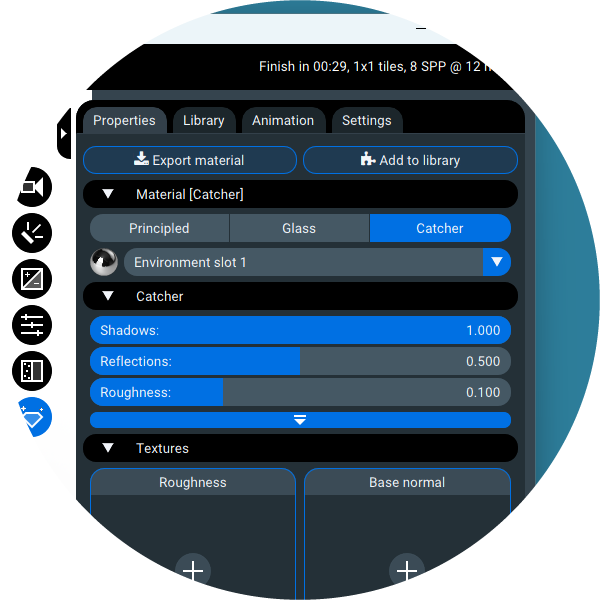
Additionally, the Reflection catcher now allows you to set the Color of reflections (found in the advanced settings). Let us also remind you that support for Roughness and Normal maps has already been implemented—just like with other material types—so you can create catchers with unique properties and textures:
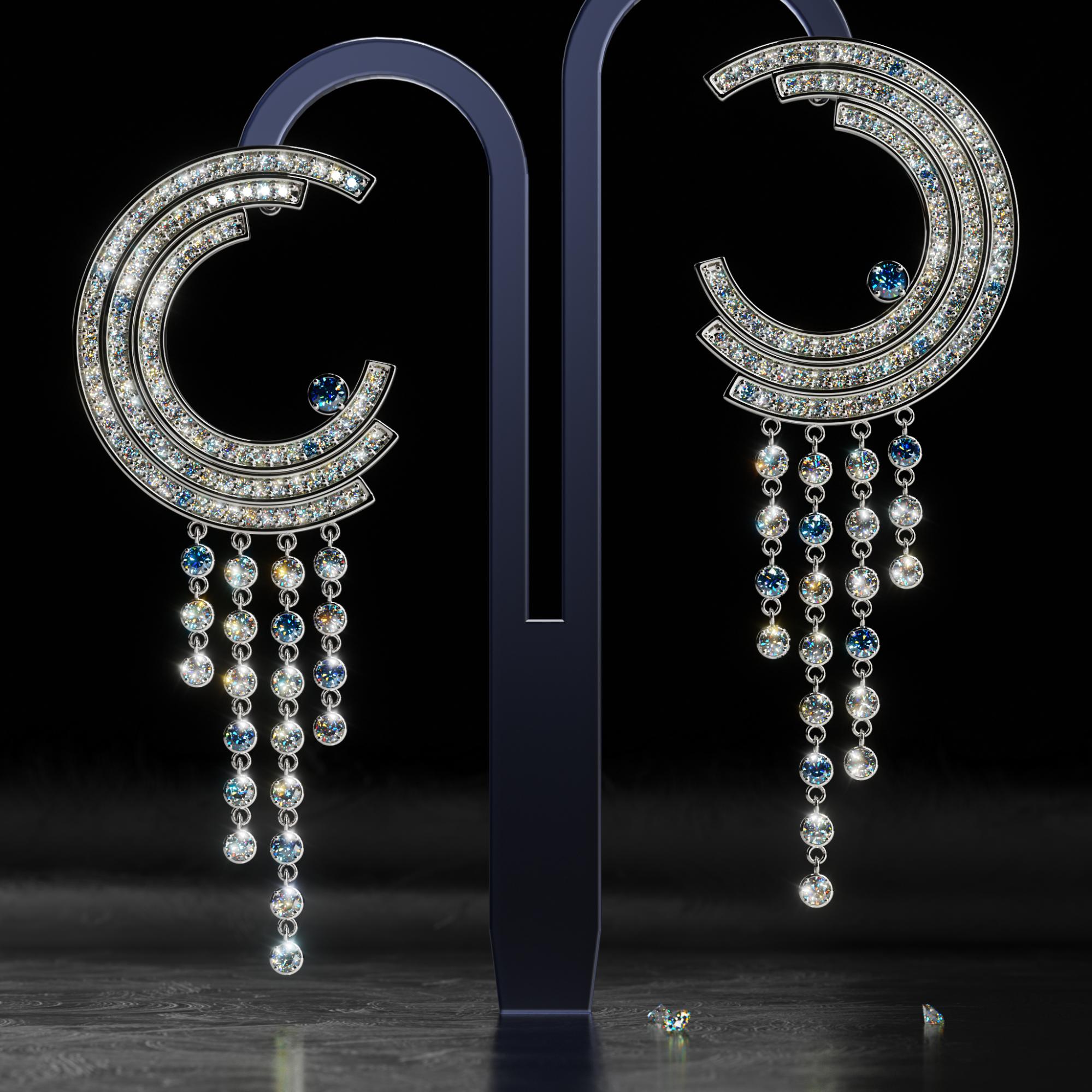
In the example above, the Reflection catcher utilizes both a normal map and an additional roughness map.
Intuitive and expansive asset library
The new version introduces a fully revamped library packed with HDR environments, materials, and light sources.
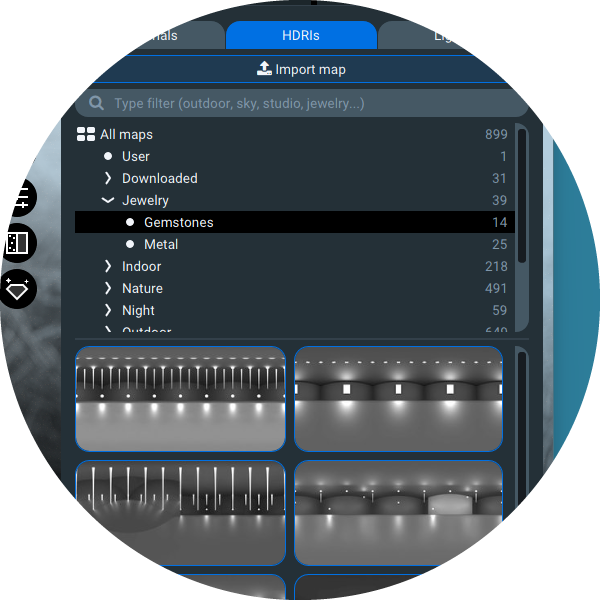
To start, the cloud-based HDRI library now provides instant access to a curated collection of about 900 HDR maps. While it integrates the outstanding foundation of https://polyhaven.com/hdris, we've significantly expanded it with a wealth of custom HDRIs designed explicitly for jewelry rendering. For streamlined workflow, the library is intuitively organized into categories optimized for gemstones and metalwork:
The material library has also been significantly expanded, now featuring over 2,300 PBR material presets. For jewelry visualization, a dedicated category provides materials for various gemstones and a wide range of metal finishes—including hammered, sandblasted, brushed, scratched, and matte surfaces.
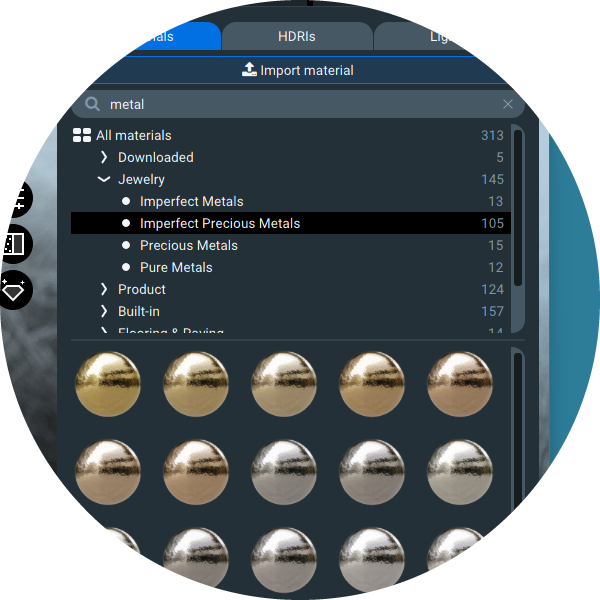
Additionally, both the HDRI and material libraries now feature an intuitive navigation tree. You can drill down from broad categories to more specific ones, quickly finding the perfect preset. And don't forget the search bar at the top—it lets you locate presets even faster. For example, to find all gold-related presets, simply type "metal gold" or even the shorthand "me go" (the first syllables of each word).
Improved animation capabilities
If you've created animations in Light Tracer before, we have more positive news for you. The physics engine has undergone another major revision, making simulations significantly more robust and predictable. This makes it much easier to model complex objects like chains and bracelets.
The camera path interpolators—used when defining motion with keyframes—have been reworked. The resulting paths are now completely free of overshoots and other unwanted bends, behaving in a far more predictable manner. The visualization of the path in the viewport has also been revised, clearly displaying the individual frames that define it, making it easy to balance keyframes on the timeline.
Minor yet impactful changes have been made to animating scene objects with keyframes as well. Objects (or entire groups) are now automatically selected when you click their corresponding keyframe on the timeline. Previously, you first had to select the object or group to enable editing of its keyframes. This small change in practice greatly enhances productivity during animation.
Other UX improvements
And finally, let's walk through a number of smaller yet meaningful improvements across the board.
Working with labels (stickers) has been refined: the helper 3D controls are now more intuitive and informative, making label placement significantly easier. Remember that labels apply only to the object at the specific level of the hierarchy where they're placed—by dragging them up or down the tree, you can effortlessly adjust their scope and influence.
Texture maps in the Properties tab now offer additional on-the-fly adjustments. You can tweak brightness, contrast, and even invert maps where applicable, giving you far more creative control without leaving the viewport.
The Undo/Redo system has undergone a major overhaul and now covers nearly every action you take within the app. As a result, we've removed many of those intrusive confirmation dialogs—after all, a mistaken operation can simply be undone. This makes the entire workflow feel more fluid, forgiving, and responsive.
And last but not least, the UI/UX itself has been significantly polished and updated—all with the goal of making your time in Light Tracer Render smoother, more enjoyable, and more productive than ever before.