Light Tracer Render 3.5.0
We're excited to announce the release of Light Tracer Render 3.5.0 – a major update that rebuilds the heart of the renderer, its material system, and makes the app much easier to learn.
At its heart is a brand-new material model built on OpenPBR, the open surface shading standard of the Academy Software Foundation. Polished gold and flawless diamonds, soft velvet, deep car paint, frosted glass – every surface is now built from the same physical layers real manufacturers use: a base, a coat, fuzz, a thin film and subsurface scattering. Whether you design engagement rings or consumer electronics, you now have a complete material toolkit to render them true to life.
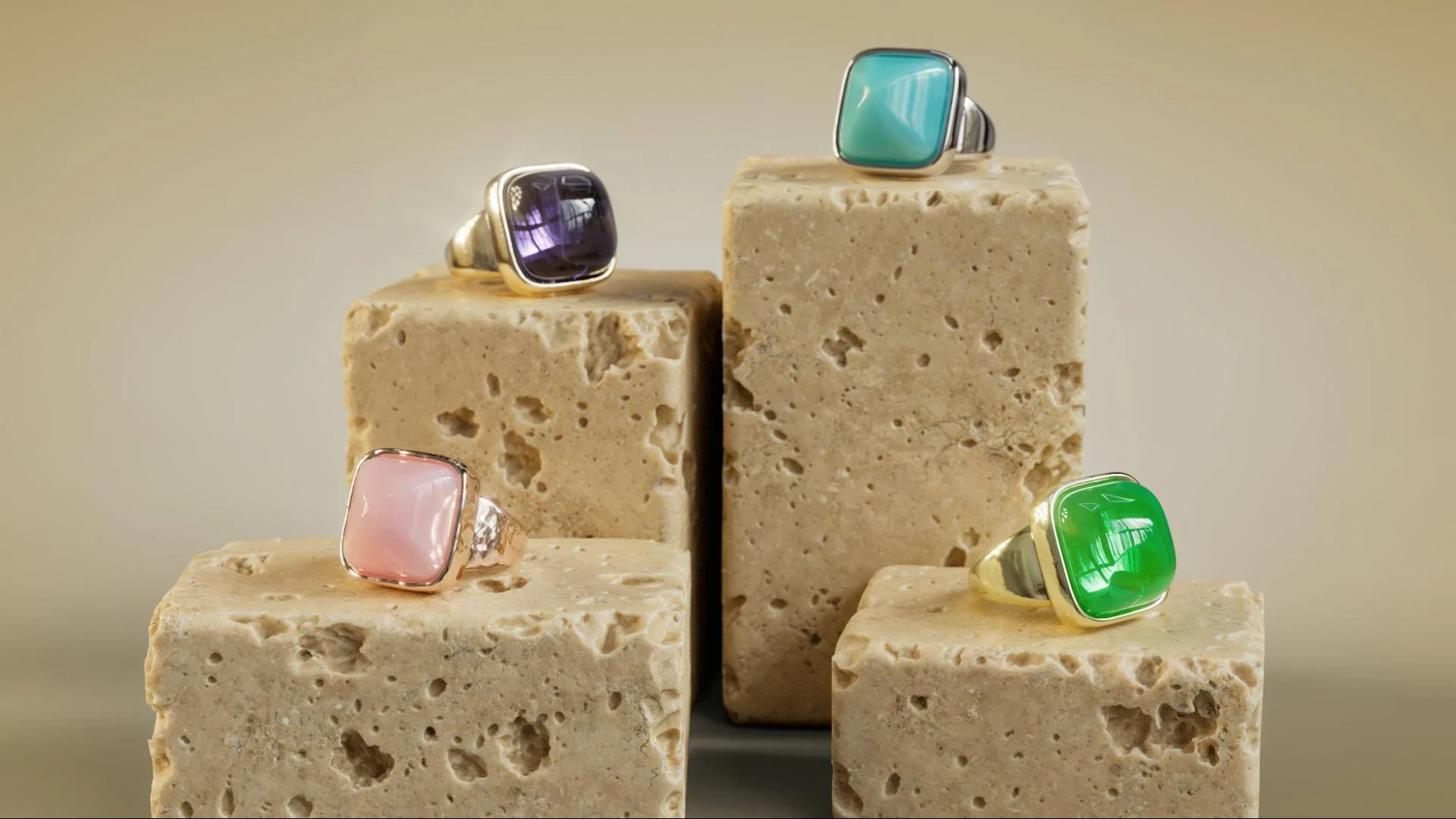
The highlights of this release:
- OpenPBR materials – energy-preserving diffuse, a dedicated Metal type with edge tint, a physically layered coat, fuzz, true subsurface scattering, transmission with thin walls, anisotropy textures and thin-film iridescence driven by maps.
- Updated material library – nearly 800 curated, physically based built-in presets for jewelry and product design, from gold alloys and diamonds of typical color grades to fabrics, leather, car paints and electronics. They complement our cloud library of more than 2,000 materials, and your favorites can now be pinned.
- Built-in tutorials – 15 narrated lessons that play right inside the app, driving the real interface while a voice explains every step. Launch the app and start learning right away, on real-life scenarios and the live UI.
- Linked files – models imported from Rhino and other CAD tools stay connected to their source files and update in place when you re-export them, keeping your materials and edits made in Light Tracer.
- Smarter rendering – adaptive sampling that stops as soon as the image is clean; bloom and glare that are 3× faster and more realistic, with diffraction fringes and dispersion; glass that shows the backplate; and faster, better-optimized rendering overall.
And there's more: tracking auto-focus, improved Undo/Redo, better glTF import and export, an improved Rhino importer, and many smaller refinements. Below, we invite you to explore all the new features in greater detail.
Try Light Tracer Render free for 14 days
Get full access to create photorealistic renders of your jewelry and products. No credit card. No watermarks. Just sign up with your email.
1. OpenPBR materials
The Standard material has been rebuilt from the ground up on the basis of OpenPBR Surface. It is the next step after the Disney principled model, which has served the industry – and Light Tracer – for over a decade. In OpenPBR, the whole layer stack conserves energy, so materials stay consistent across lighting setups and roughness values without manual tuning. Its parameters also match those of other modern tools and of glTF, so materials move between applications with far fewer surprises.
The material type switch at the top of the Properties tab now offers four models: Standard, Metal, Glass and Catcher. Standard is organized into layers – Base, Coat, Fuzz, Subsurface, Transmission and Iridescence – each with its own section:
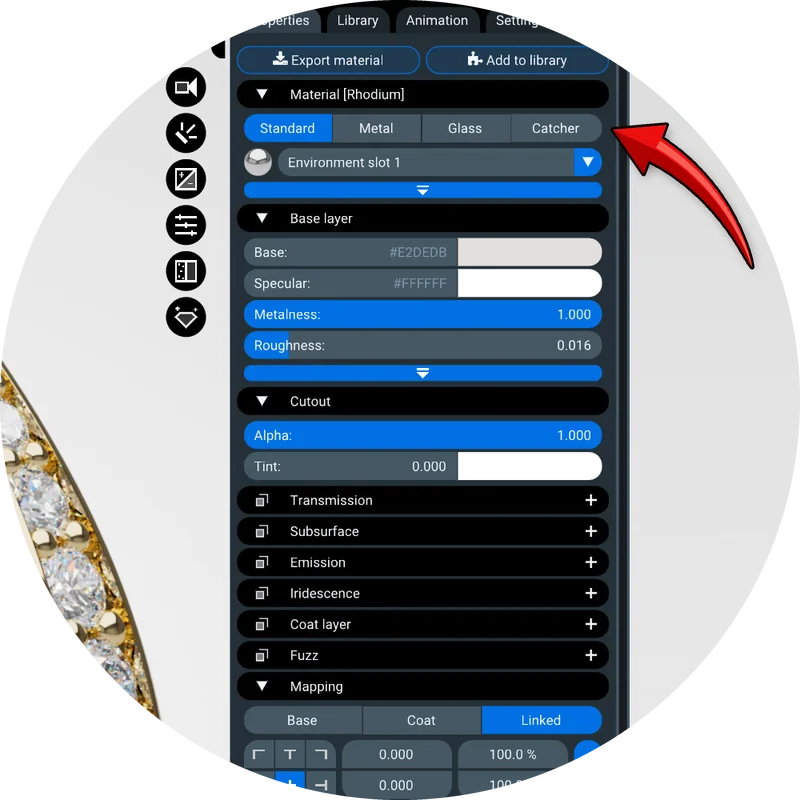
Metal and Glass are specialized versions of Standard, each with a curated set of dedicated controls. A gold ring or a gemstone needs only a handful of parameters, and these two models show exactly those – we wanted to keep things as easy as possible for designers.
1.1. High-quality diffuse and metallic surfaces
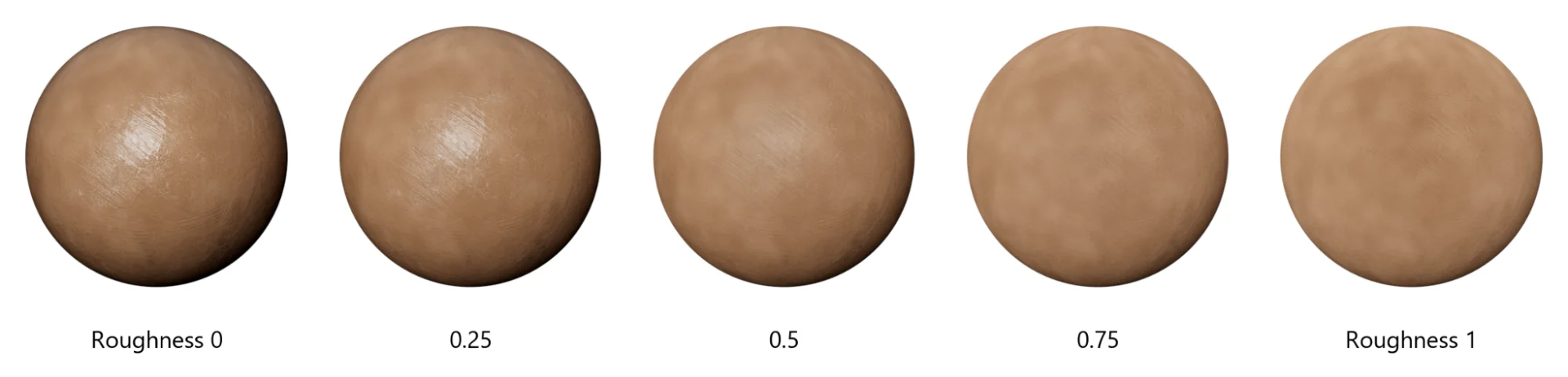
Matte surfaces – ceramics, plaster, fabrics, rough plastics – now use an energy-preserving rough diffuse model (EON). As roughness grows, they take on the soft, flat look of real matte materials such as clay or unglazed porcelain, without losing brightness. Specular reflection is now set by the IOR (index of refraction), with an optional Specular color for coated optics and displays.
For jewelers, we've added a dedicated Metal type. It needs only two colors: the base Color, seen head-on, and a Specular color that tints reflections toward grazing angles (the edge tint).
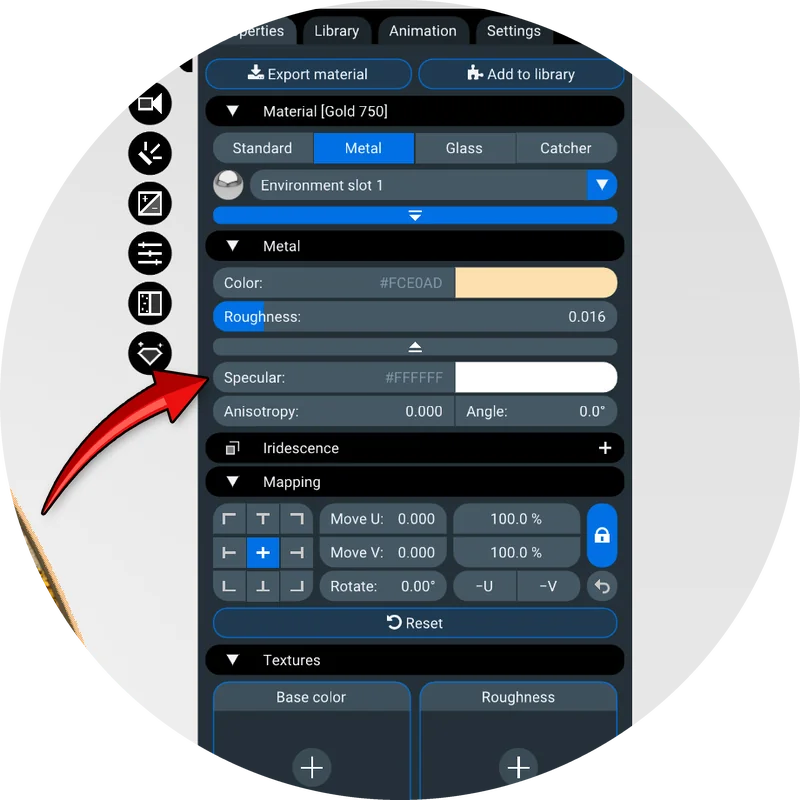
Add Roughness and Anisotropy, and you have everything required for gold, silver, platinum or titanium – without the dozens of controls that a general-purpose material carries. The metal presets were fitted to measured optical data, so a 750 rose gold looks like a 750 rose gold:
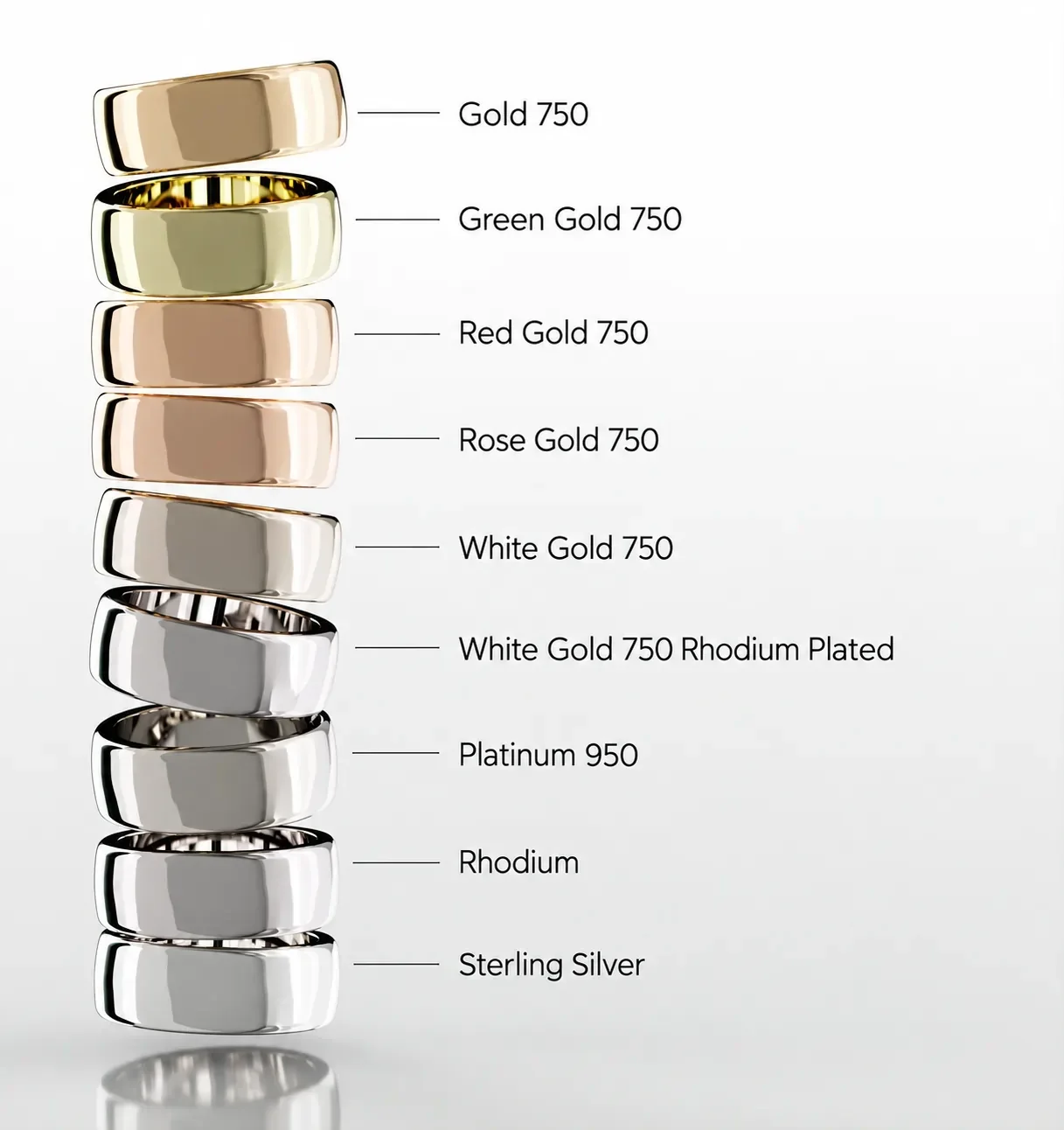
Anisotropy can now be driven by a direction map. This opens the door to decorative finishes that were impossible before – engine-turned (perlage), sunburst and tumbling-block patterns, each tiny swirl brushed in its own direction.
1.2. Improved coat
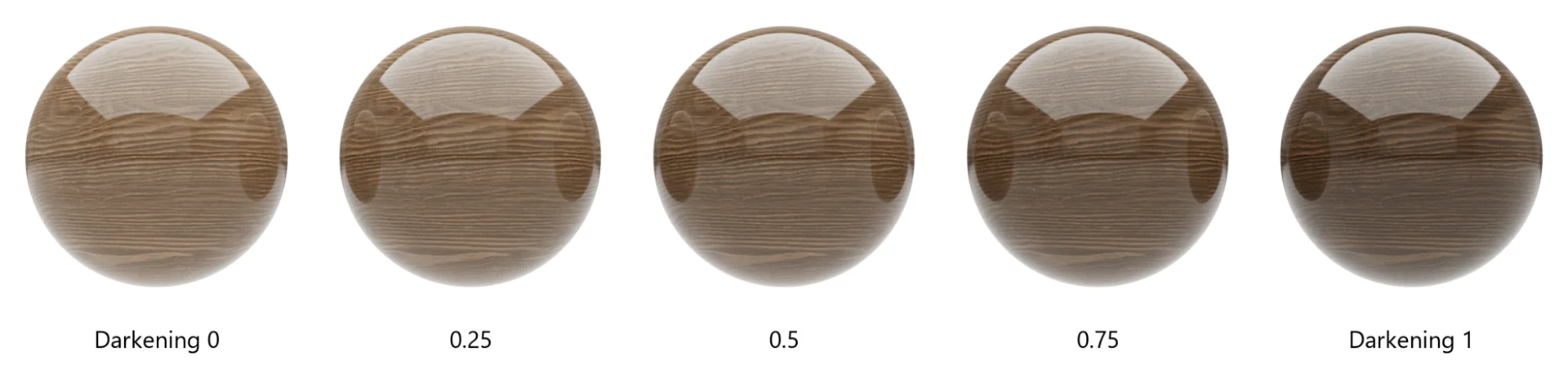
The coat is now a full physical layer with its own Weight, IOR and Roughness. It can be anisotropic for brushed lacquers and tinted for candy paints, where the color deepens with the thickness of the varnish. The new Darkening control sets how strongly the coat darkens and saturates the base below it, as on wet stone or lacquered wood; at zero, the base keeps its original look. Coat weight and roughness can be driven by texture maps – for fingerprints, partial gloss or worn clear coat.
1.3. Fuzz
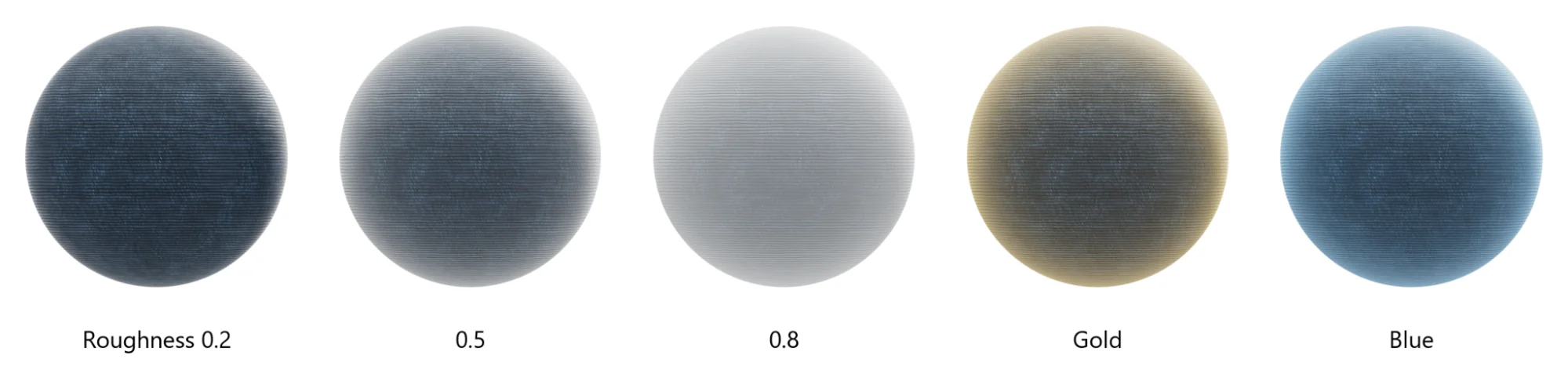
The old Sheen has been replaced by Fuzz – a layer of fine fibers on top of all other layers. With Weight, Color and Roughness, it covers velvet, velour, suede, peach skin and dusty surfaces, and it stays energy-conserving even on top of a coat.
1.4. Subsurface scattering
The Subsurface section brings true subsurface scattering to Light Tracer. Light enters the material, scatters inside it and exits elsewhere – the soft, glowing look of jade, wax, marble, soap, milky plastic or a diffuser in front of an LED. Two modes are available. Solid traces the actual path of light through the volume, while Thin-wall is a fast model for leaves, paper and lampshades.
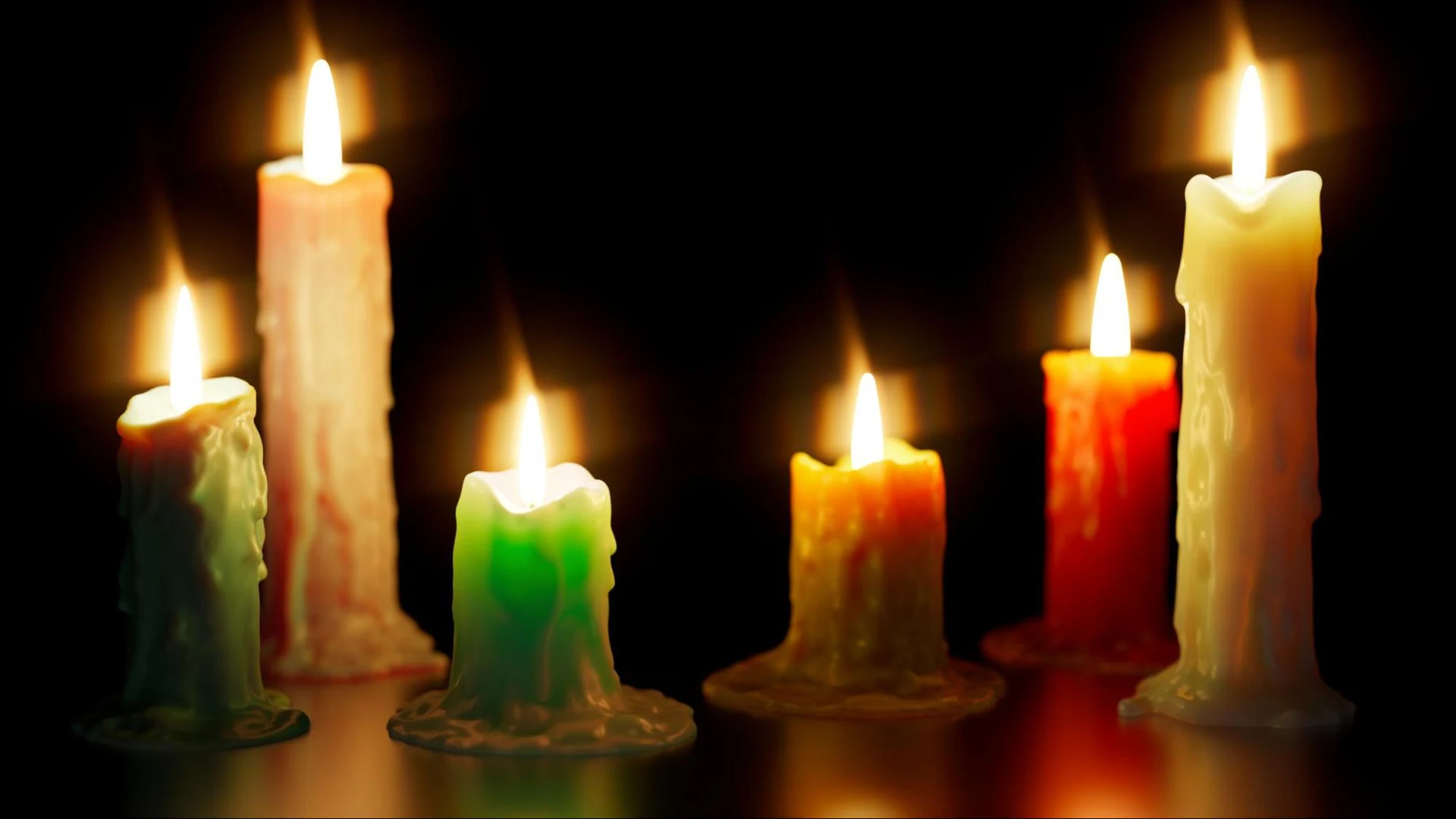
In Solid mode, the most important control is Scatter radius – how far light travels inside the material before it scatters, with Interior color tinting it per channel. Translucency depends on size: a thin jade pendant glows, while a large block of the same stone looks almost opaque. That is why the radius is always set in millimeters, whatever units your scene uses. Light Tracer converts it with the scene units, which are shown and set in the Camera widget – so if a model arrives at the wrong scale, say a ring modeled in millimeters but read as meters, fix the units there first, and subsurface materials will behave just like the real ones.
1.5. Transmission and thin walls
The Standard material can now be transparent on its own. The Transmission section offers the same Solid and Thin-wall modes. Thin-wall is ideal for window glazing, shop windows and soap bubbles: it renders with instantly converging shadows, which architectural scenes depend on.
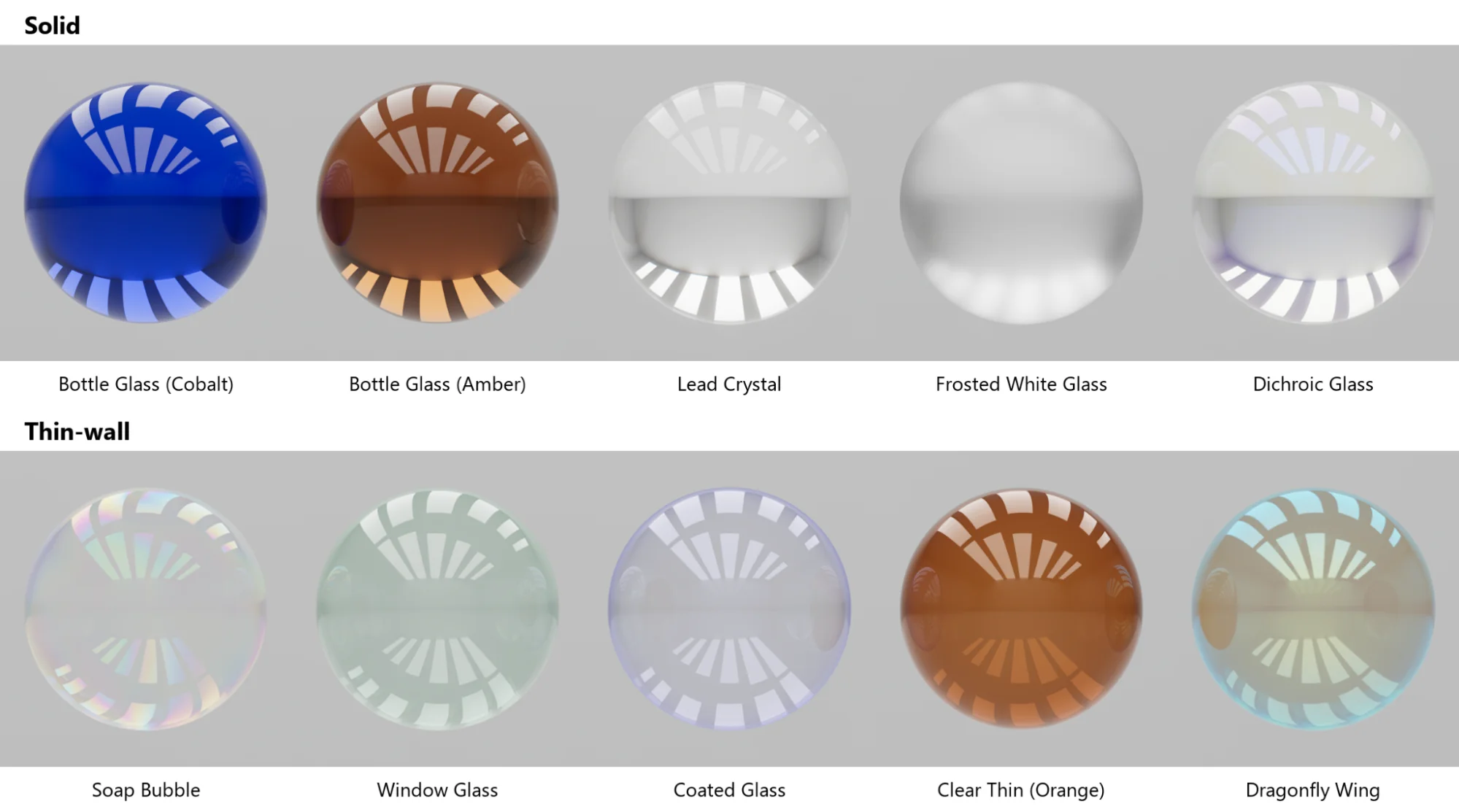
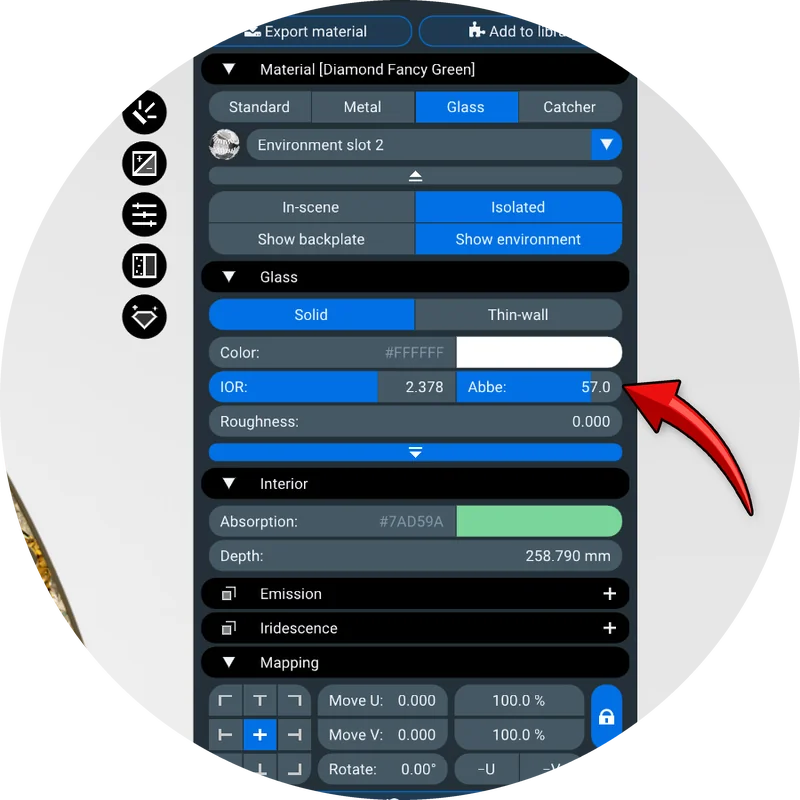
Dispersion, a dedicated feature of the Glass material, is now set by an Abbe number – lower values give stronger fire, from moissanite (12) to diamond (44) and ordinary glass (around 55).
1.6. Iridescence (thin film)
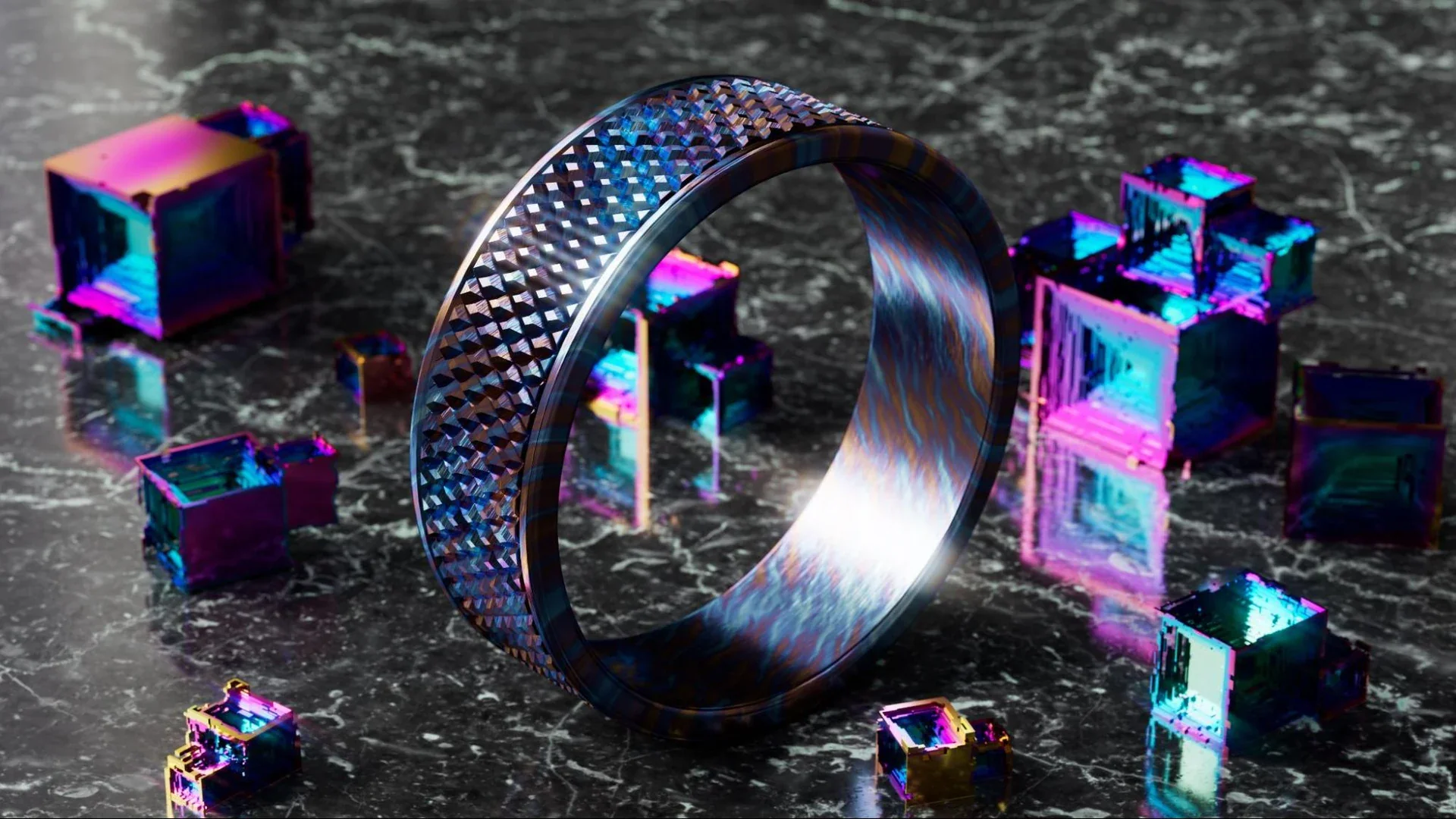
Thin-film interference has been rewritten and now works on metals and non-metals alike. The Iridescence section sets the film's Thickness in nanometres and its IOR, while the new Weight control blends the film in – from a faint shimmer to full interference colors. Attach a map to the new Film thickness texture slot, and the thickness varies across the surface: black areas of the map get Min thickness (under the section's advanced settings), white areas get Thickness. Varying thickness is what produces the flowing rainbows of anodized titanium and niobium, bismuth crystals, oil films, pearlescent car paint and soap bubbles:
1.7. Textures and compatibility
The new layers come with texture slots of their own. Alongside Base color, Metalness, Roughness, Base normal, Opacity and Coat normal, the Textures section of the Standard material now offers Anisotropy for brushed and engine-turned patterns, Transmission for surfaces that are transparent only in places, Coat weight and Coat roughness for fingerprints, partial gloss and worn clear coat, and Film thickness for flowing iridescence. The Metal type gets its own short list – Base color, Roughness, Base normal, Anisotropy and Film thickness – and Glass gains Film thickness as well.
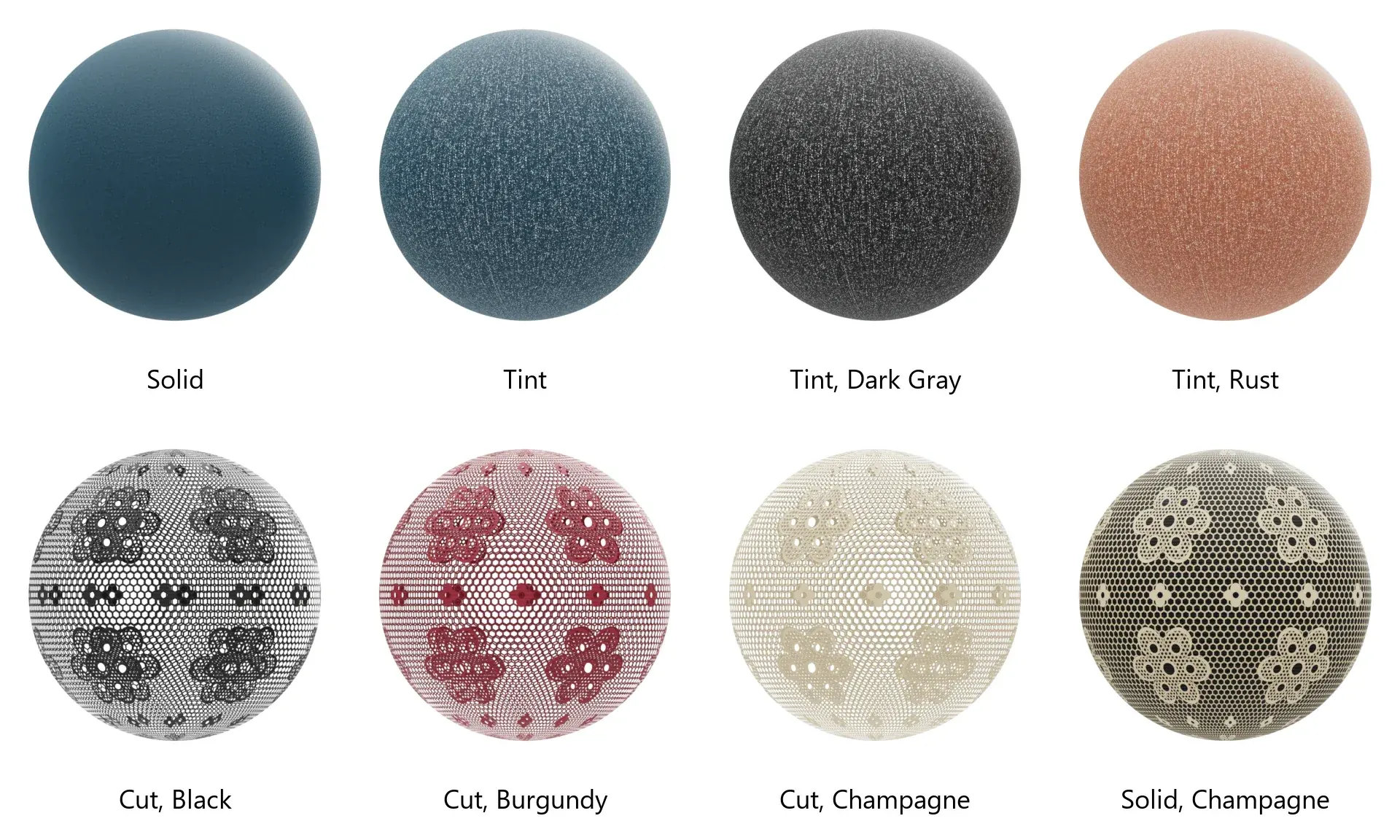
The alpha channel of a Base color map deserves a closer look, because the same channel can mean very different things. Three switches on the slot tell Light Tracer how to read it:
- Cut – alpha cuts holes in the surface. This is the mode for leaves, lace, perforated sheets and labels cut out of a plane.
- Solid – alpha is ignored, and the surface stays opaque. Many textures carry an alpha channel they don't need, and it would otherwise punch holes in your model. Materials of glTF files from other applications that are marked as opaque switch to Solid automatically on import.
- Tint – alpha becomes a mask for the material's Color: where alpha is 1, the texture takes that color; where it is 0, the texture keeps its own.
Tint lets one texture serve a whole palette, and the Denim presets show it best. Their texture is a gray image of the weave, and its alpha marks the dyed warp threads but leaves out the white weft that peeks between them. In Tint mode, the color picker dyes only the warp: the same texture gives classic indigo, black or rust denim, and the weft always stays white. Switch to Solid, and the color covers every thread, so the fabric turns flat. The fabric and leather presets of the library are built the same way, so any of them can be recolored with the color picker alone.
Lace is the opposite case: there, alpha holds the holes themselves, so Cut is the right mode. The thread is cut out along the alpha, you look through the tulle at the far side of the ball, and the Color dyes the lace black, burgundy or champagne. Switch the same material to Solid, and the holes close up – the pattern remains only as a print on an opaque surface, filled with the color stored under the holes.
Your existing projects open as before – legacy parameters are converted to the new model automatically on load. The glTF importer and exporter now also carry sheen, specular, iridescence, anisotropy, dispersion and diffuse transmission, so materials survive the round trip to other glTF-compatible tools.
2. Updated material library
The new material model deserved a new library. At the core of Light Tracer is its built-in library of curated, physically based materials – presets that look right the moment you drop them onto a model. In 3.5 it has grown to about 800 presets: we’ve added more than 400 new ones and reworked many of the existing ones, focusing on what jewelers and product designers use every day. And beyond the built-in presets, our cloud library offers about 2,000 more materials.
2.1. Jewelry
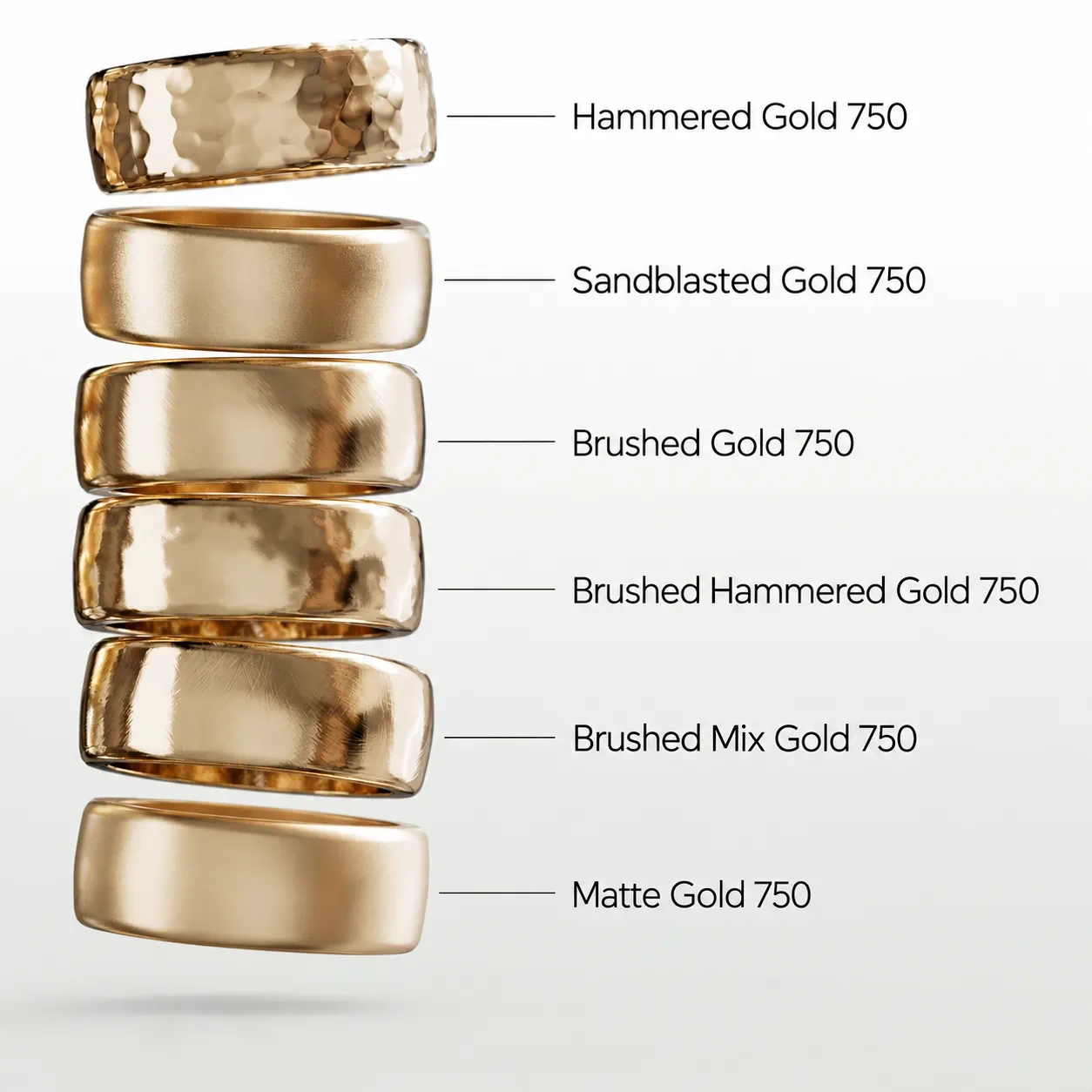
The Precious Metals category now holds 24 alloys: yellow, rose, red, green and white golds by fineness (585, 750, 916), rhodium-plated white golds, black rhodium, platinum and palladium 950, and oxidized silver. Their colors were calibrated against the ISO 8654 gold color standard and published optical measurements. Precious Metal Finishes applies seven finishes to 22 of these alloys, giving 154 ready-made hammered, sandblasted, brushed, scratched and matte variants.
The Gemstones category was rebuilt as well:
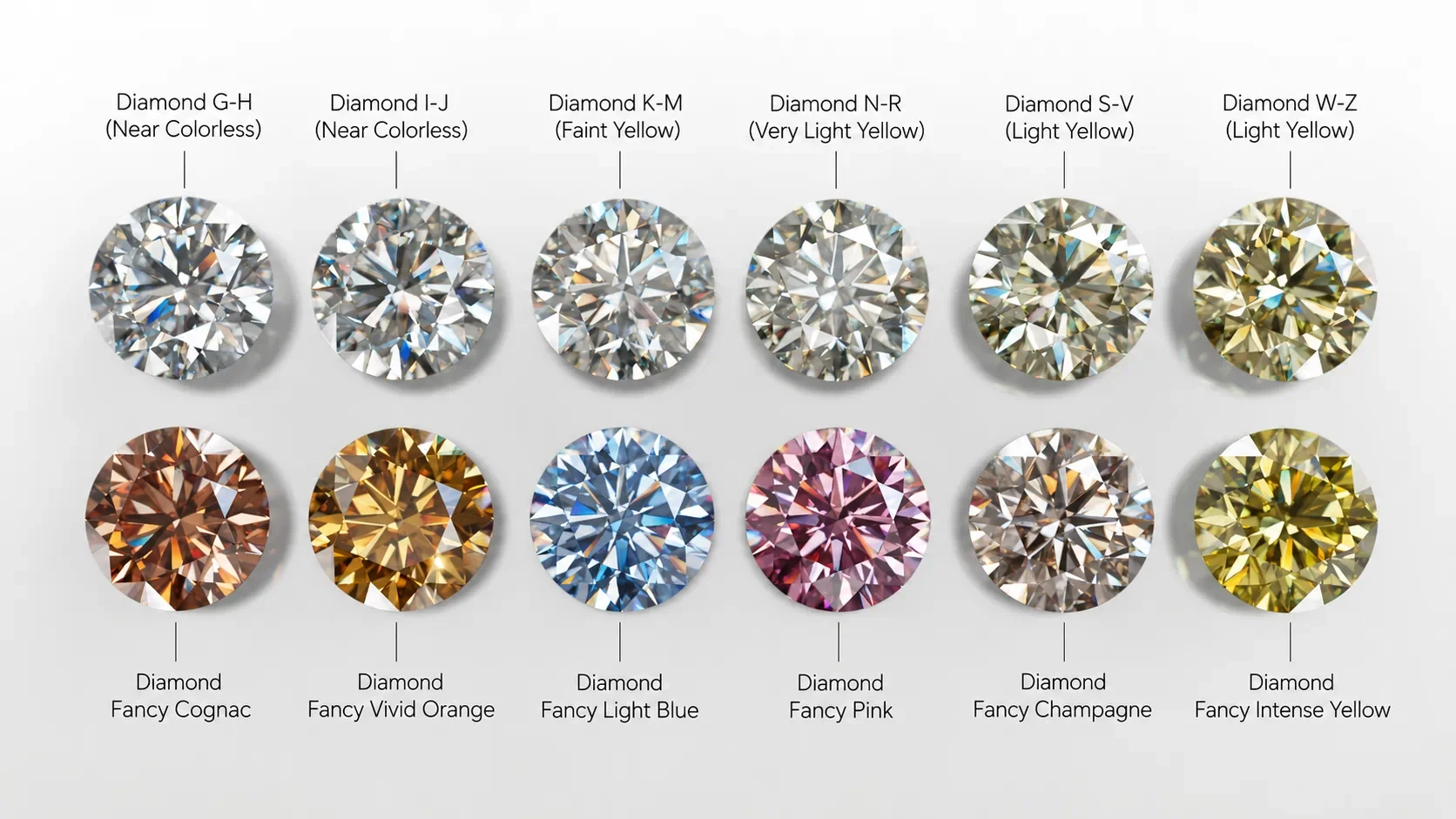
- Diamond color grades from D to Z, calibrated on a one-carat round brilliant, plus 22 fancy-color diamonds.
- About 30 colored stones with proper dispersion and absorption – sapphires, emeralds and other beryls, quartzes, topazes, garnets, tourmalines, tanzanite, spinels, peridot and zircon.
- Jade and rose quartz with subsurface scattering, turquoise, onyx and seven pearls.
Watchmakers will appreciate the new Enamel & Dials category – enamels including plique-à-jour, mother-of-pearl inlays and luminous paint.
2.2. Product design
For product visualization, the library now covers:
- Plastics – matte, glossy, grained, translucent, clear, silicone and iridescent, most of them in a 29-color palette.
- Fabrics and Leather – denim, cotton, velour, satin, nylon, holographic satin, leather and suede.
- Industrial metals – brushed, engine-turned, sunburst and tumbling-block steel, aluminum and titanium, anodized aluminum, PVD coatings and DLC.
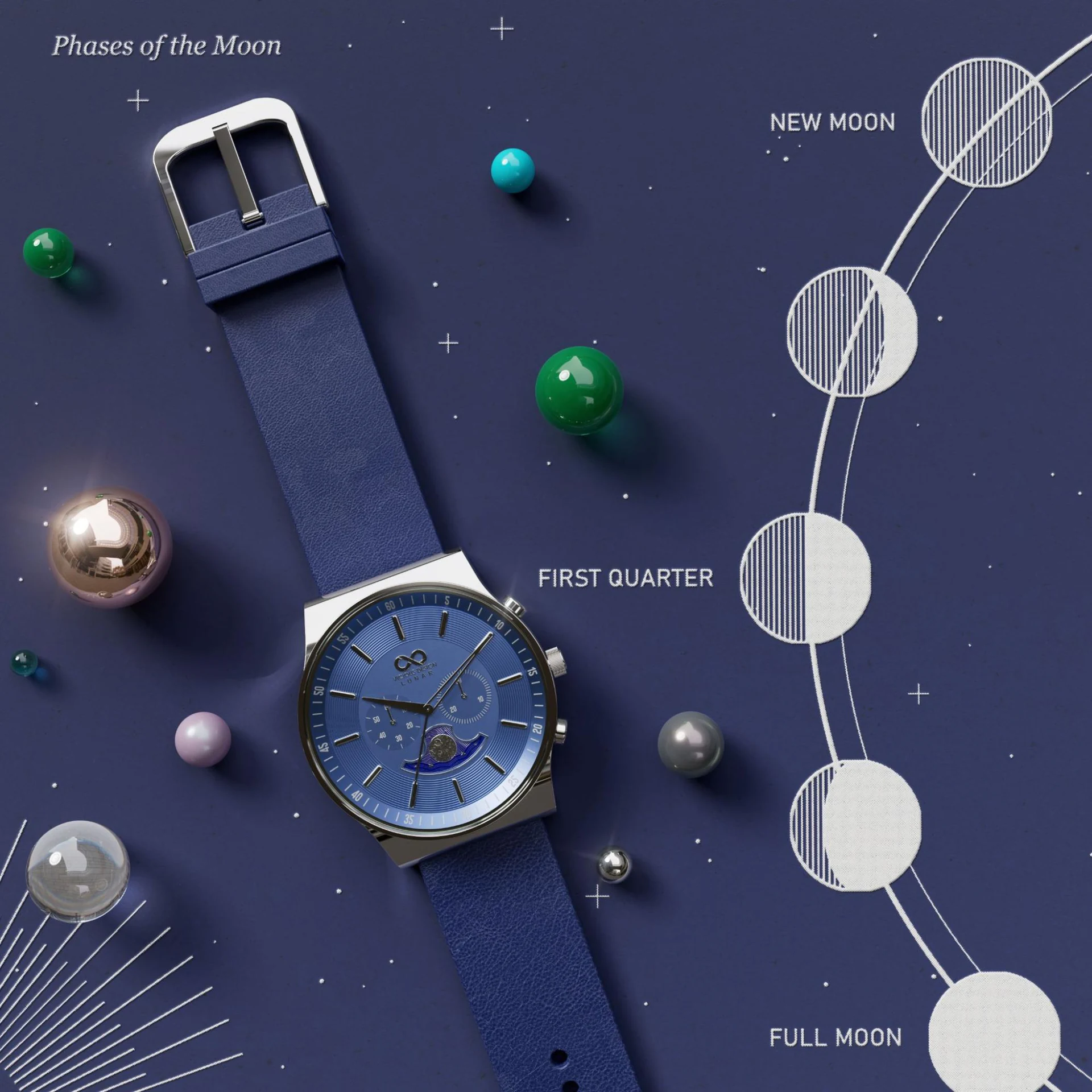
- Automotive – OEM-style solid and metallic paints with real metallic flakes, pearl white, candy red, chameleon, carbon fiber, trim plastics and lamp glass.
- Electronics – indicator LEDs, displays, cover glass, PCB solder mask, speaker grilles and perforated metal.
- Glass, Home & Packaging – bottle glass, acrylic, lead crystal, porcelain, powder coat, paper and cardboard.
2.3. Pinned and recent presets
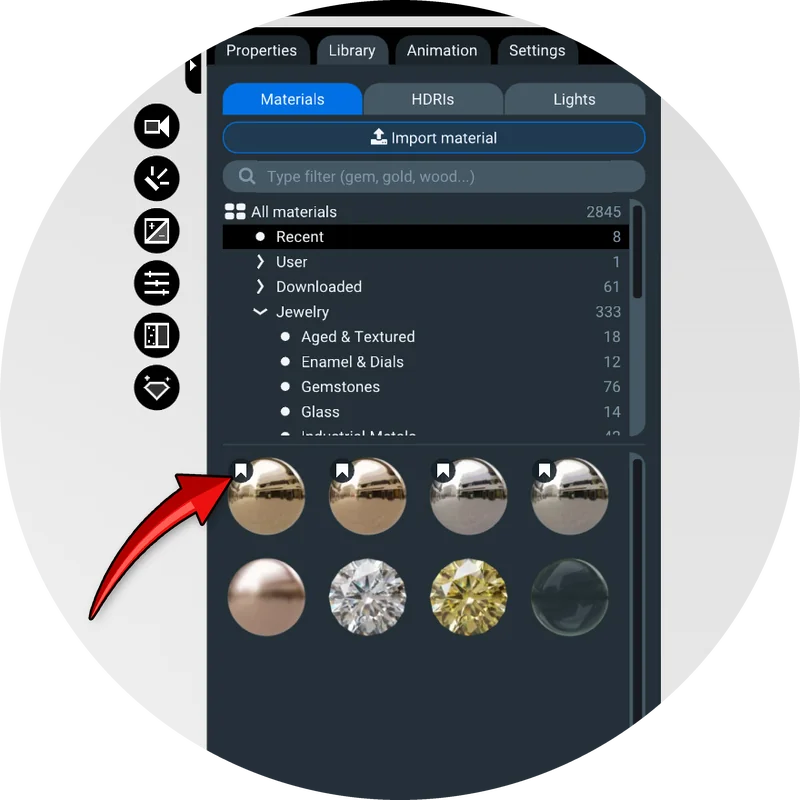
Hover over any preset and click the bookmark icon to pin it to the top of its category. Pins work in the Materials, HDRI and Lights libraries alike, so your favorite gold, studio HDRI or softbox is always one click away. A new Recent category at the top of the Materials and HDRI libraries lists what you applied most recently, and the library remembers which categories you had open between sessions:
3. Built-in tutorials
Learning a new tool usually means switching back and forth between a video and the app. Light Tracer 3.5 removes that step: lessons now play right inside the application. Open the new Tutorials tab in the left panel, pick a lesson and click its preview card to start:
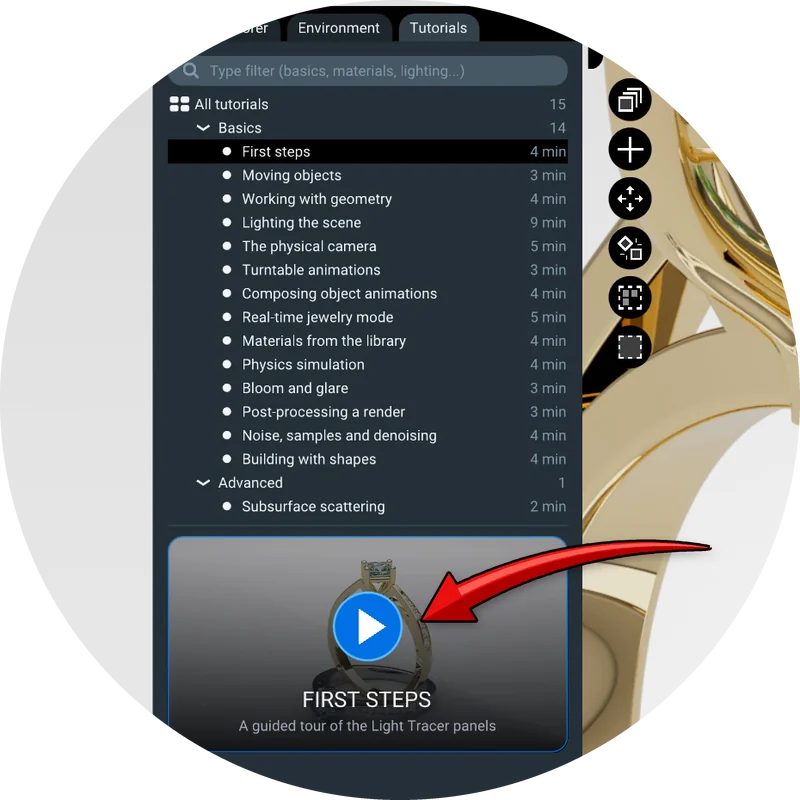
The first release includes 15 lessons – about an hour in total – covering the whole workflow, from the basics to finishing touches:
- First steps, Moving objects, Working with geometry, Building with shapes
- Lighting the scene, The physical camera, Materials from the library
- Turntable animations, Composing object animations, Physics simulation
- Real-time jewelry mode, Bloom and glare, Post-processing a render, Noise, samples and denoising
- Advanced: Subsurface scattering
A lesson is not a recording. It drives the real interface: the cursor moves, buttons are clicked and values are typed in front of you, while a voice explains what is happening and why. Narration cards appear in their own spot below the right panel, so they never cover the interface, while arrows and highlights point you to the right place:
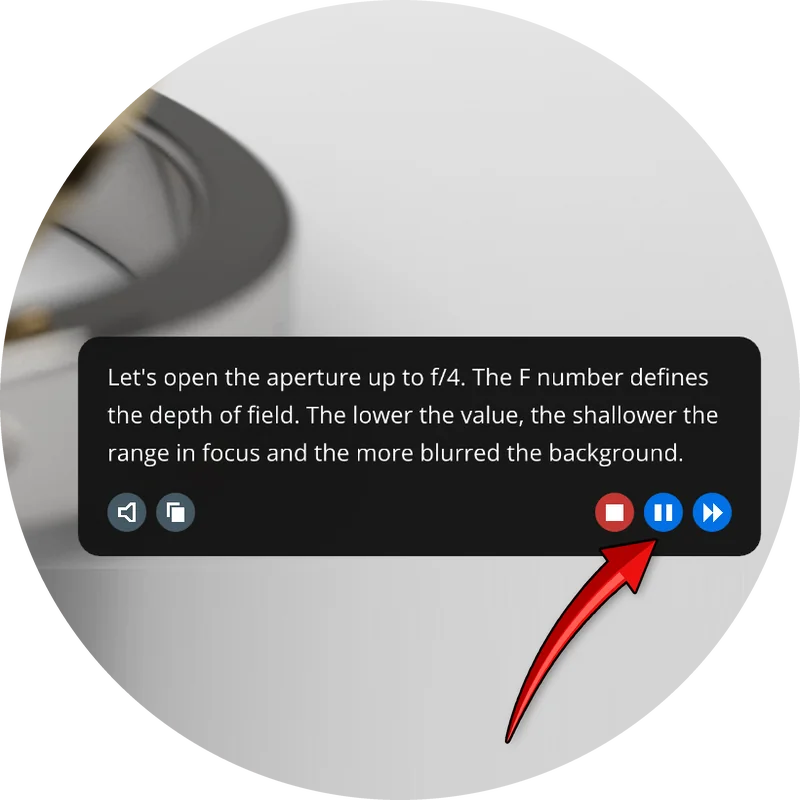
You stay in control at all times. Pause freezes the lesson and the viewport, so you can take a closer look; Next skips ahead to the following step; Stop ends the lesson. You can mute the voice and read the cards instead, and the Copy button lets you paste the text into a translator if English isn't your first language.
The narration voice is generated by a neural speech model running right on your computer – no cloud service is involved.
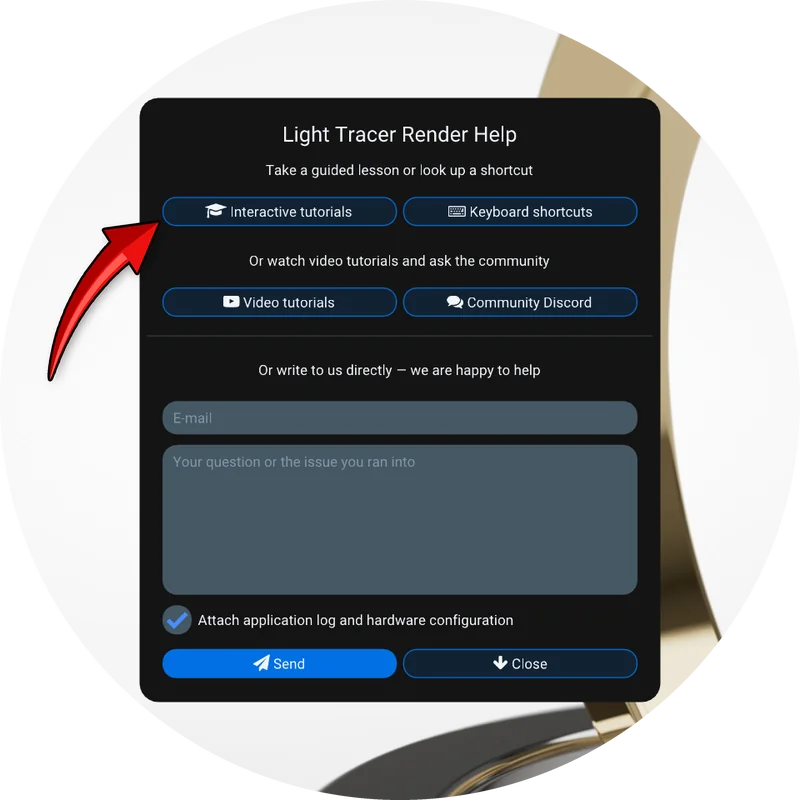
We've also turned the Discord button in the toolbar into a Help menu. It brings the lessons, our video tutorials, the Discord community and a feedback form together in one place, so help is always one click away.
4. Linked files
Version 3.4 introduced automatic reloading of textures. Version 3.5 takes the idea much further: entire models can now stay linked to the files they came from. Design in Rhino or your CAD tool of choice, re-export, and the changes appear in your Light Tracer scene – with all your rendering work intact.
To link a model, choose Keep in sync instead of Import once in the import dialog:
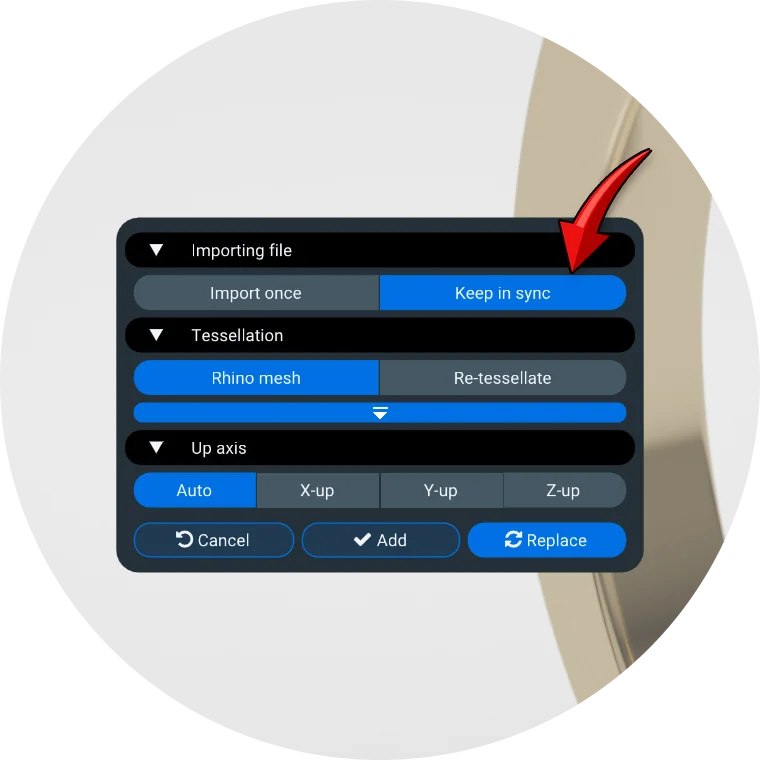
When the source file changes, Light Tracer re-imports it and merges the result into the open scene. Everything you've done on top of the model is preserved: assigned and tweaked materials, placement, renamed objects, visibility, keyframes and any objects you added yourself. Parts are matched by the identifiers stored in the file (such as Rhino object IDs and STEP labels), then by position and name, so reordering or moving parts in the source design doesn't break the link. New parts that share a source material with an object you've already edited get your edited material automatically.
A reload is a regular, undoable step. Light Tracer never overrides your work behind your back: if a file was changed while the project was closed, it is simply marked as outdated until you decide to reload it.
All links are managed in the new Linked files tab of the Settings popup. It shows each file's full path and status – Up to date, Outdated or Not found – with Reload, Relink and Unlink buttons. When you link a new file or relink an existing one, Light Tracer first shows how many objects it matched, and applies nothing until you confirm:
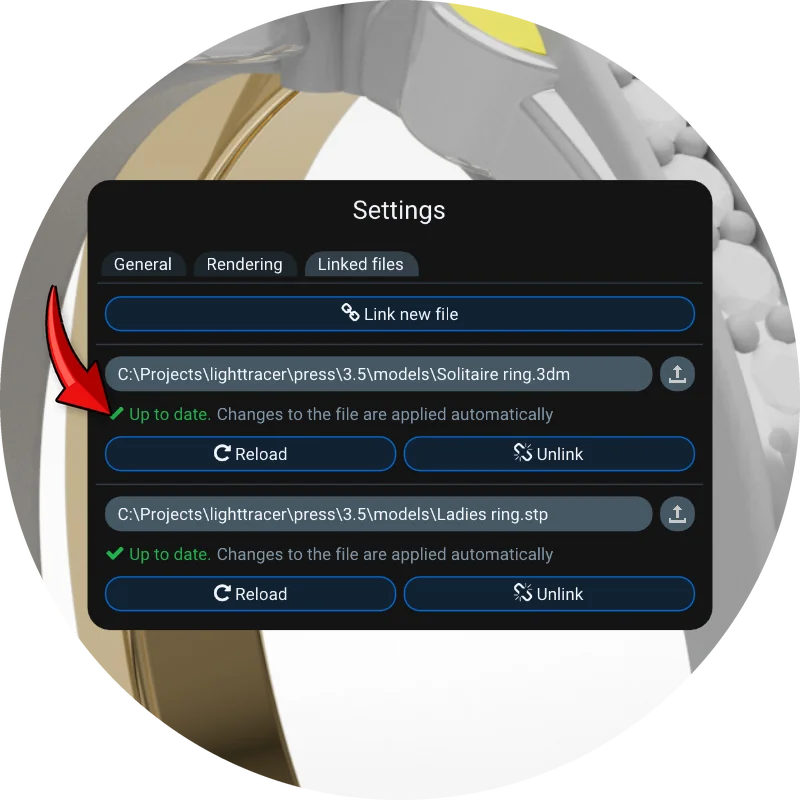
The Rhino importer has been improved along the way. It is now built on openNURBS 8, reads textures embedded in 3DM files, imports legacy Rhino materials correctly and keeps materials shared between objects shared, instead of duplicating them per object.
5. Rendering
5.1. Adaptive rendering
Until now, every pixel received the same number of samples – whether it showed a plain backdrop or a noisy caustic under a gemstone. Adaptive rendering changes that. The image is divided into small blocks, and each block stops rendering as soon as its noise falls below the target. The GPU spends its time where it's actually needed, and the render finishes as soon as the whole image is clean.
The new Noise slider sits in the viewport toolbar next to Samples. It is set to 2% by default: lower values give a cleaner image, and zero turns adaptive rendering off. Samples slider now sets as an upper limit. The denoiser is applied to the final frame automatically. To see how much of the image has already converged, click the status text in the top-right corner and enable Samples completed.
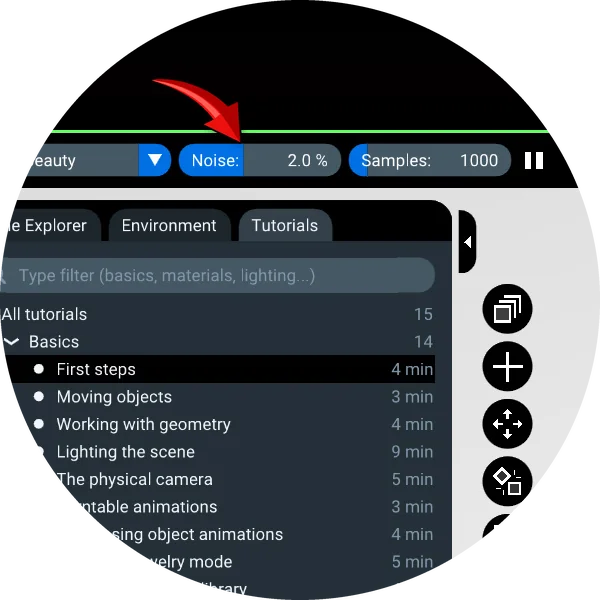
In addition, each rendering mode – Real-time, Normal and Bi-directional – now remembers its own settings (light paths, bounces, maximum radiance and sample count), so switching between modes no longer resets your setup.
5.2. Bloom and glare
Our physically based bloom and glare has been refined further. The diffraction star of bright highlights now shows fine fringes along its rays and an Airy ring around the halo. Light also disperses by wavelength, so the fringes turn into subtle rainbows – exactly what you see when photographing a sparkling diamond. Four new sliders – Fringes, Dispersion, Scattering and Streak blur – join the familiar Size, Glare, Streaks and Rotation:
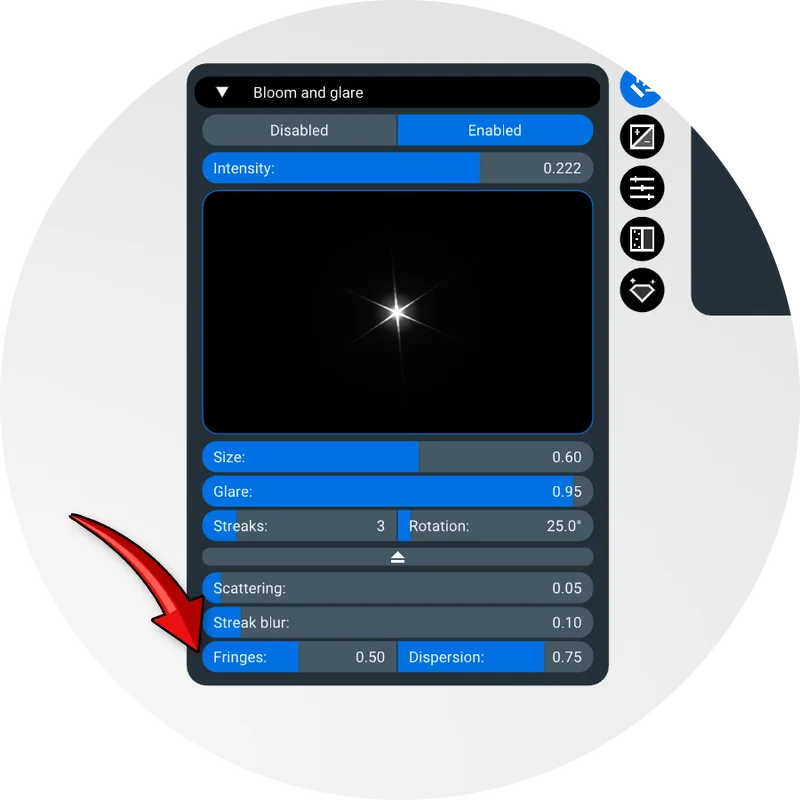
The effect has also become ~3× faster. A lightweight version updates live while you move the camera or drag a slider, and the full-quality version follows as the image converges. All bloom settings are saved with the scene.
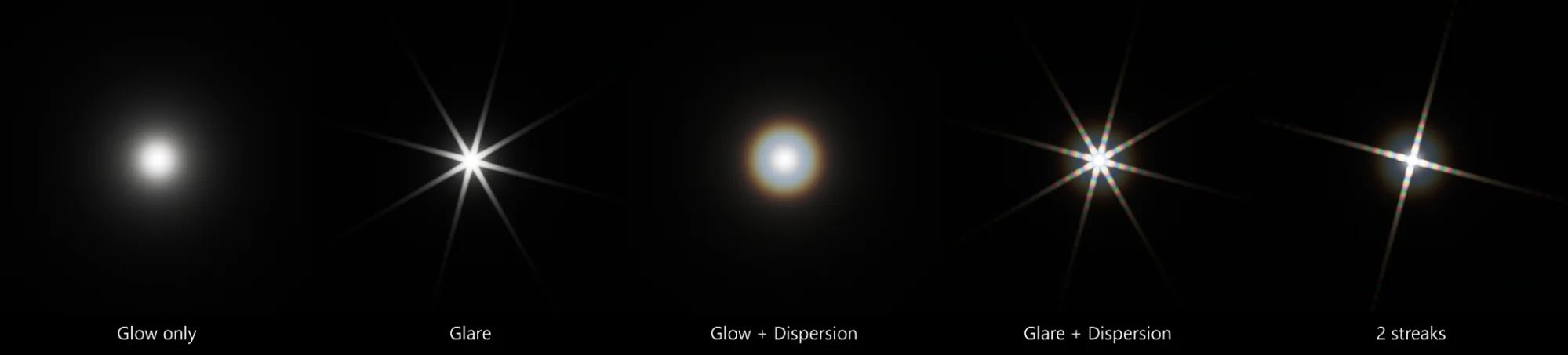
5.3. Glass over the backplate
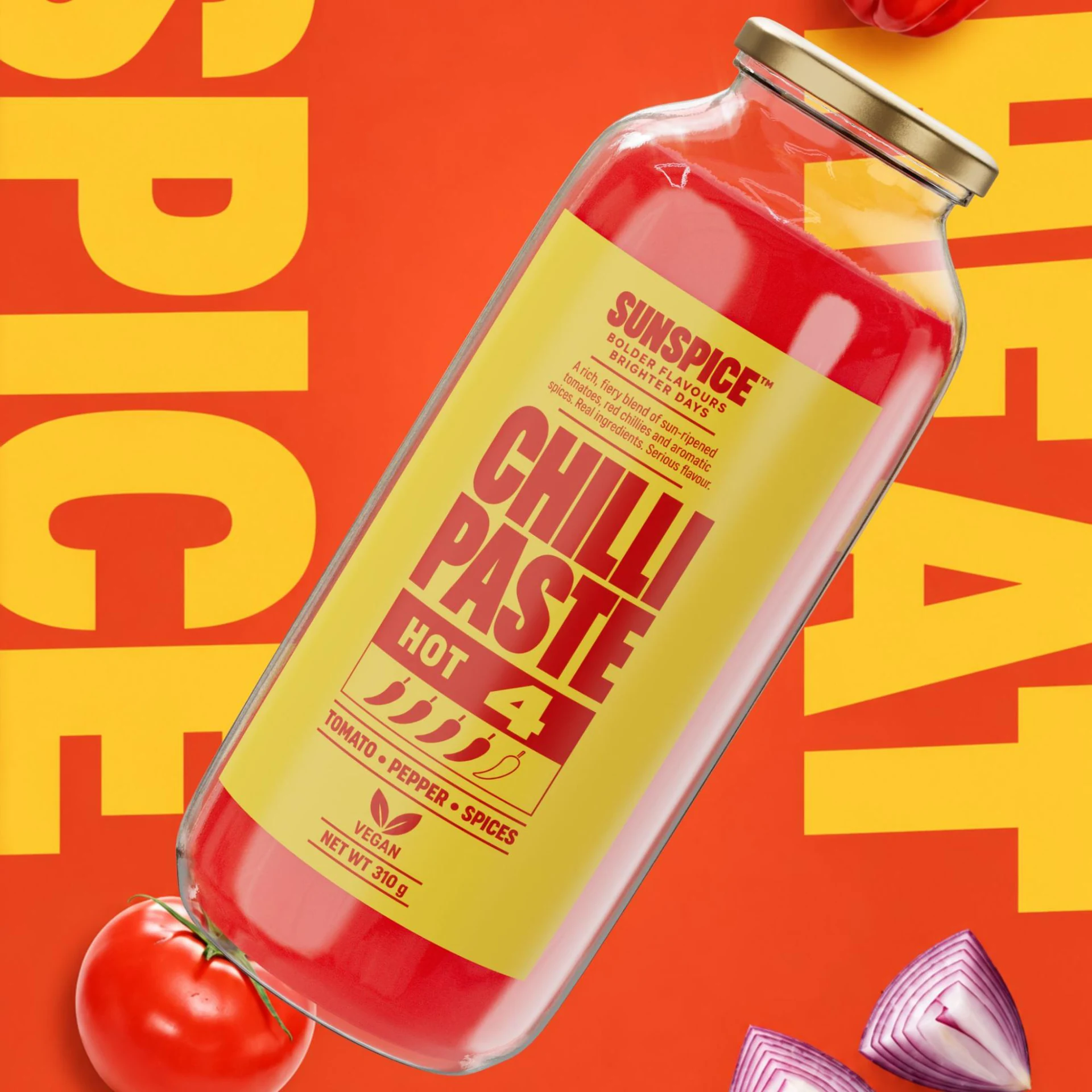
Product shots are often composed over a photo backplate with the environment hidden. Previously, the backplate showed only through thin glass. Now it is visible through any glass, including rough and frosted solid glass.
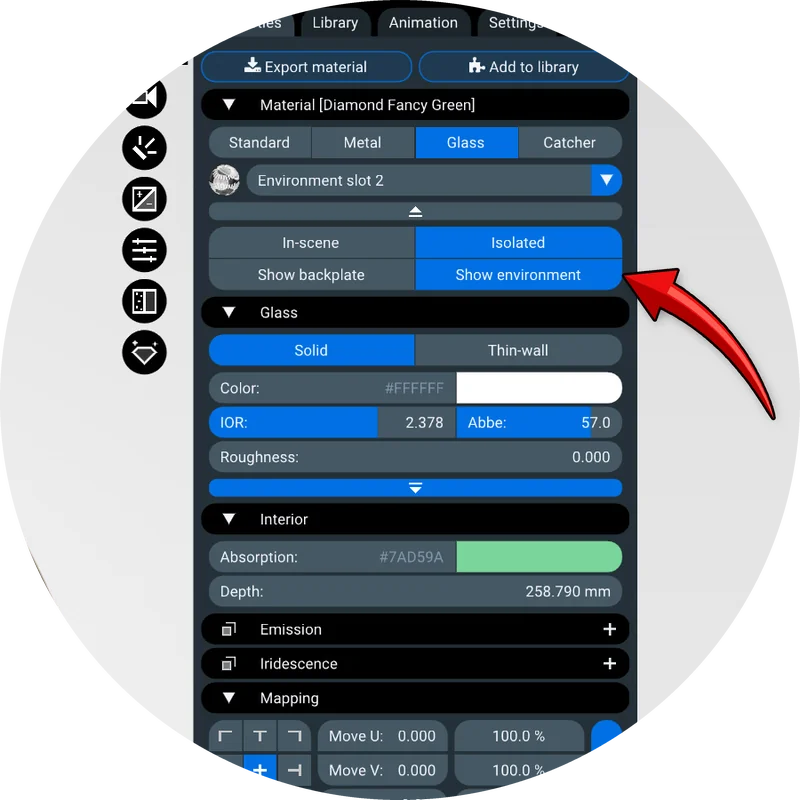
Each glass material gets a simple choice: Show backplate, where refractions reveal your photo, or Show environment, where they still show the hidden HDRI. Gemstone presets default to Show environment, so they keep their fire and sparkle over any background.
5.4. Faster
This release also brings substantial speed-ups. With hardware ray tracing, render times drop by up to 25% on AMD Radeon GPUs, the software ray tracing mode is up to 15% faster on NVIDIA GPUs, and the scene acceleration structure is built more efficiently. On macOS, the viewport responds noticeably more smoothly.
6. Other improvements
6.1. Tracking auto-focus
Shallow depth of field is essential for jewelry close-ups, but keeping the focus where you want it during an animation used to take careful keyframing. In 3.5, a focus point picked on an object is attached to that object. When the object moves or the camera orbits around it, the focus follows automatically. A small marker shows the tracked point while the Camera widget is open, the binding is saved with the scene, and between camera keyframes the focus distance now changes smoothly:
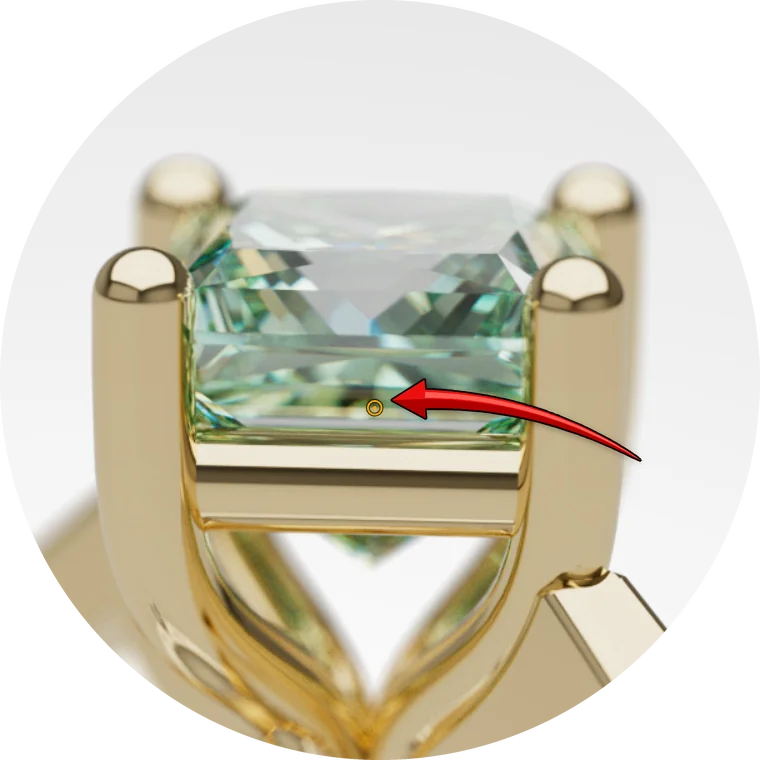
Switching between focus modes is simpler too: pick a point to track it, type a distance to keep it fixed, or click again to return to automatic center focus.
6.2. Improved Undo/Redo
As with every release, the Undo/Redo system covers more ground. Environment slots can now be swapped simply by dragging one onto another, and the swap can be undone like any other change. Show only works correctly across groups and layers, undoing a keyframe change brings the playhead back to it, and reloading a linked file is a single undoable step. The Exit popup now groups unsaved changes by kind, instead of listing every individual adjustment.
6.3. Import and export
The glTF importer now opens meshopt-compressed models, which previously loaded as empty scenes, and reads KTX2 (Basis Universal) and WebP textures. Tangents stored in a file are now preserved instead of being rebuilt.
GLB export received a thorough review. Exported files were checked against the official Khronos glTF validator and fixed accordingly, and cameras and object transforms are placed correctly in other applications such as Blender. Saving the same scene twice now produces identical files, so you no longer get false “scene modified” prompts, and very large scenes save reliably. HDR image export now applies the denoiser as well.
6.4. Light Viewer
Light Viewer – the web viewer behind Light Space and website embeds – gained reset, fit-to-view, fullscreen and help controls, as well as click-to-focus: a single click or tap sets the focus of the physical camera. Large scenes now load using up to a third less memory, and watermark settings are stored in the scene, so your watermark appears in the viewer too.
6.5. And more
Camera navigation no longer drifts off the horizon while orbiting and stays precise in large scenes, and the turntable keeps its framing when you move the orbit center. Physics simulations rest objects on the floor without a visible gap. Repeated clicks cycle through overlapping objects, and selected hidden objects now get an outline. Ctrl+click on any slider to type a value. Negative lights are now called Black flags, the manipulator's snap step is saved with the scene – and, of course, the release includes many bug fixes.
Availability
Light Tracer Render 3.5 is available now for Windows and macOS, and as the web app. The update is free for all subscribers and for owners of any 3.x perpetual license, from 3.0 onwards.
We hope the new materials, the expanded library and the built-in lessons make your work in Light Tracer Render faster, easier and more enjoyable than ever. As always, we're grateful for your feedback – and now you can send it straight from the Help menu. It continues to shape the future of our software.